Automate a frequent, predictable step that produces an output you can verify. Review the last four runs of the work, record exceptions and actual effort, and test a small step first. Include review, rework, and maintenance when calculating the time saved.
A task can feel tedious even when its inputs vary too much for a simple rule. Look for a repeated operation within that task.
Use recent runs to find a stable step
A course team rolls up registrations, sorts reader feedback, and writes client updates. Weekly registration files have a consistent shape. Feedback can raise several issues at once, and client updates contain changing commitments.
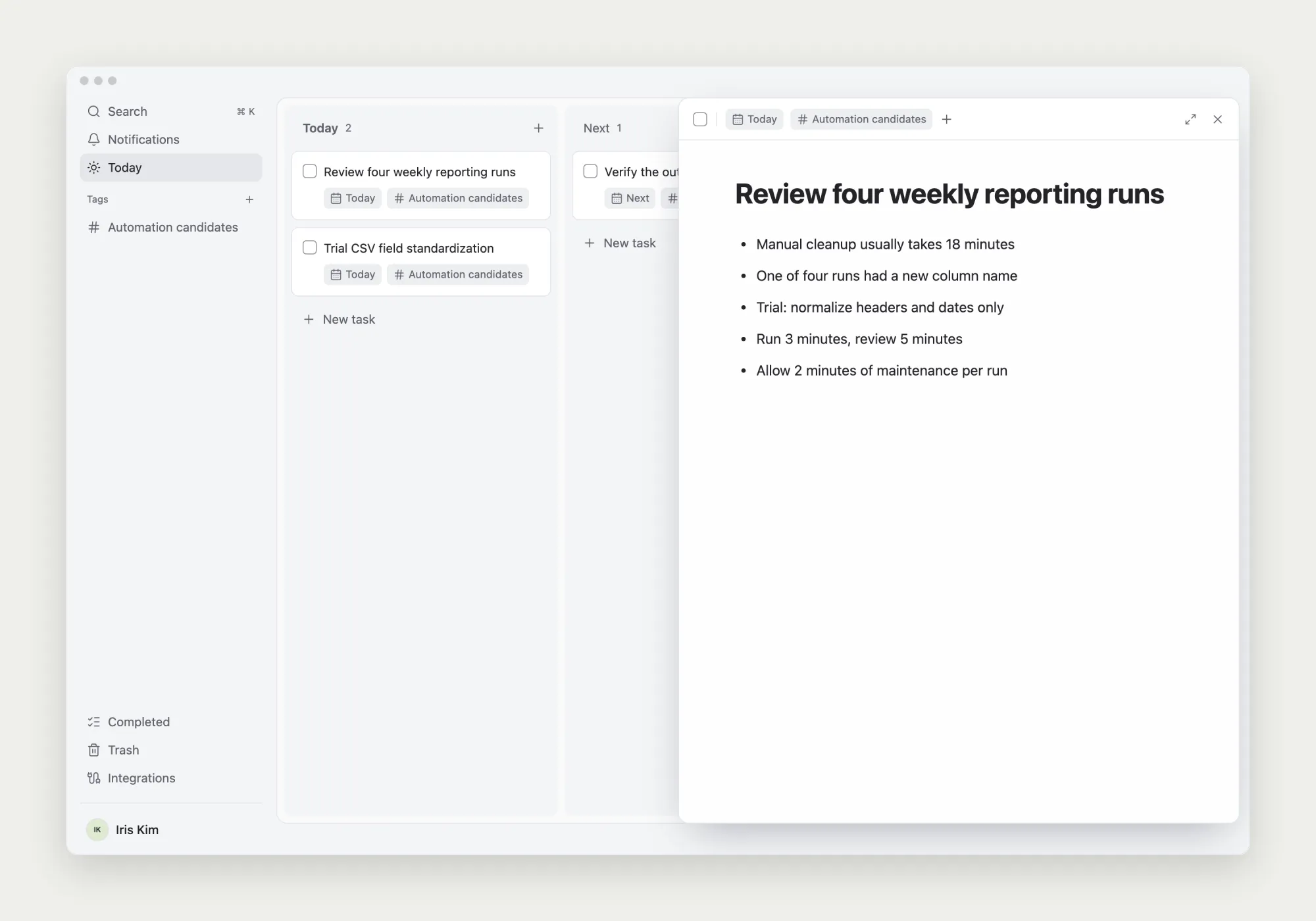
Standardizing headers and dates took about 18 minutes per report. One of four files introduced an unfamiliar header. That gives the team a clear exception to handle in its first test.
Choose an output you can check
Trial standardizing the CSV headers and dates. Compare row counts and date formats, check three sample rows, and return any unknown headers for review.
| Step | Exception or check | Decision |
|---|---|---|
| Standardize CSV headers and dates | Unknown headers can be flagged and rows sampled | Trial first |
| Classify reader feedback | One message can contain multiple issues | Refine the classification rules |
| Write client updates | Commitments and tone vary | Keep human review |
Save the sample input and expected output with the work record. Then repeat the test when a fresh file arrives.
Count the review and maintenance time
Suppose the trial took 3 minutes to run and 5 minutes to check, with an estimated 2 minutes of maintenance per run. Compared with 18 manual minutes, that saves about 8 minutes per run. A 40-minute setup takes about five successful runs to recover.
In TodoNote, group the four past runs and the trial under one tag. Record actual times and exceptions, then see whether next week's file adds rework.
Expand after a fresh run passes
Build on the pilot when the output passes review, exceptions have a clear destination, and the time saved remains consistent across inputs.
Related reading · How to run a time audit: a one-week template for understanding your workload