To write an SOP, start with a completed task. Identify the inputs needed to begin, extract the working sequence, add checks at important points, and explain what to do when the normal path fails. Then test the procedure on another similar task.
A blank template supplies headings. Your working record supplies the details that matter: a missing file, a correction that delayed publication, or a decision someone had to make halfway through. Those details give the next person something useful to follow.
Give the procedure a clear boundary
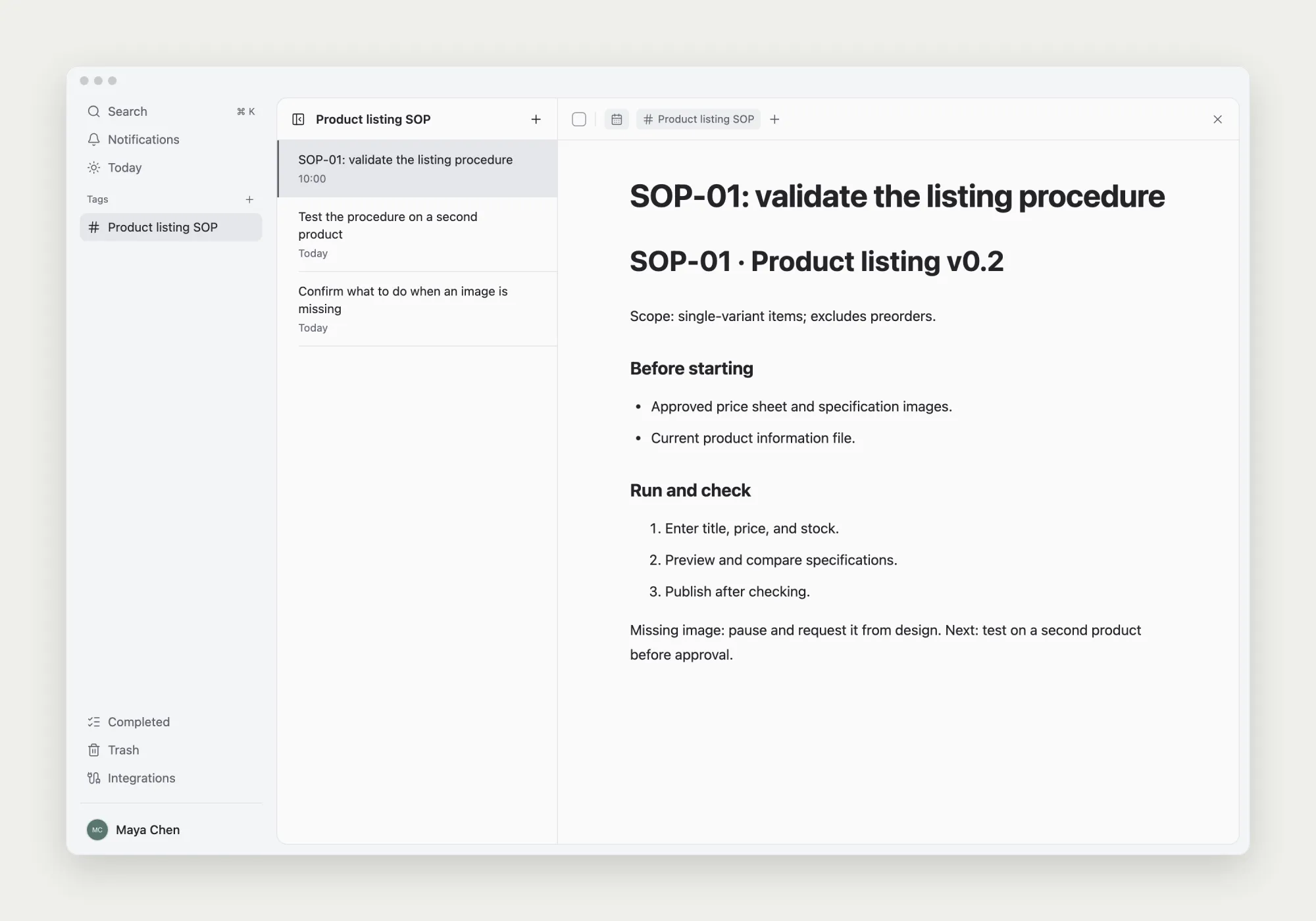
For a small online shop, SOP-01 covers listing a single-variant product and excludes preorders. A process that tries to cover every product type immediately becomes difficult to test. Record the exclusions so readers know when to ask for a different procedure.
Define completion as a published page matching the approved product information. “Fields entered” ends too early. The Atlassian SOP guide provides a useful foundation for documenting repeatable work consistently.
Extract checks from what went wrong
The earlier listing needed rework because a specification image was missing. The revised procedure therefore requires the image before work begins and a preview comparison before publication. A past mistake now changes a future action.
Document the points where errors are costly or judgment is ambiguous. Stable, familiar actions can stay brief. A long inventory of clicks can hide the one check that prevents publishing the wrong information.
Make exceptions actionable
“Ask someone if there is a problem” leaves the reader guessing. For a missing image, specify that publication pauses, design supplies the image, and the listing resumes after it arrives. Keep an unconfirmed exception as a follow-up task until the response is agreed.
In TodoNote, retain the original listing note and use a tag to gather the SOP and its test records. Create a separate task for the second run. Add the sticking points and reasons for revisions to the procedure note.
Test before calling it ready
Use a second product to check whether the inputs are sufficient and the steps can be followed without oral explanations. Every extra question is a candidate for a clearer condition or check. Record the version tested alongside the result.
Procedure / version:
Applies when:
Does not cover:
Required inputs:

Steps and checks:
Definition of done:
Exception and response:
Who confirms the exception:

Test task / result:
Revision and reason:
Next review:Before reusing the SOP, check whether the product type, interface, and publication rules still match. For scheduling repeat runs, see the recurring task workflow. Keep the instructions and their operating conditions in the note.