A milestone marks a checkpoint, a deliverable is the result someone can inspect or receive, and a task is a piece of work. In a website redesign, “homepage approved” is a milestone, the reviewed homepage preview is a deliverable, and “fix the mobile layout” is a task.
Name each item so its role is clear
Give a task a verb and a testable result. Name a deliverable as the actual file, page or handoff someone will receive. Describe a milestone as a state that has been reached and write what proves it.
| Type | Example | How to verify |
|---|---|---|
| Milestone | Homepage approval received | The reviewer confirmed acceptance |
| Deliverable | Homepage preview link | Link opens the reviewed version |
| Task | Fix the mobile layout | The menu opens on the agreed narrow viewport |
A deliverable can be ready for review before the approval milestone is reached. If the reviewer requests a correction, keep the preview link and add the correction as the next task.
Plan backward from the checkpoint
If approval is due Friday and the reviewer needs a day, plan to send the preview by Thursday. Schedule the mobile fix and a narrow-screen check earlier. Record acceptance when it actually arrives.
Keep the proof with the work
In TodoNote, Alex uses a parent task to prepare the preview. The note holds the preview URL, the acceptance criteria and the reviewer. Subtasks such as fixing the layout receive their own dates.
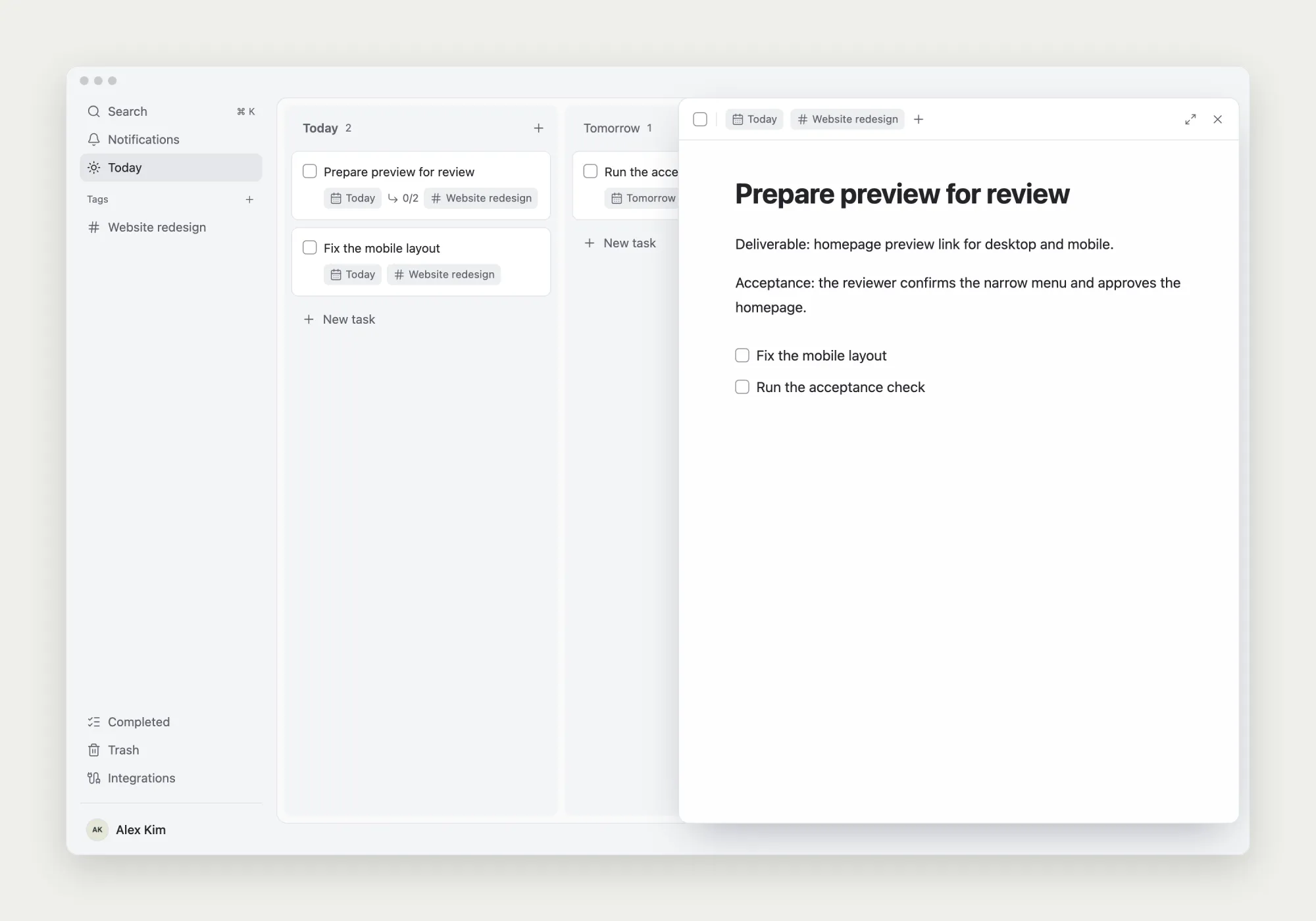
After approval, record when it happened and who confirmed it. A comment asking for another revision moves the task forward but leaves the milestone open.
Check the plan by reading it aloud
For each row in your plan, ask what you will do, what you will hand over, or what you will be able to say has happened. Rewrite labels that do not answer any of those questions.
For a small project, put all three in the same task note. Use separate tasks when different people or dates govern the next actions.
Write a project scope statement · Build an acceptance checklist