A project acceptance checklist connects each deliverable and version to an agreed requirement, a checkable acceptance criterion, a verification method and an actual result. Keep evidence and a retest plan for failed items, then record who accepted which scope and what remains open.
The files have been uploaded, but the recipient still cannot use the package. Start with a traceable question: which version was delivered, what was agreed, and which intended use did the delivery fail to support?
Establish the version and scope before checking
Clara is delivering brand package v1.2 for a coffee shop: editable logo files, exports for light and dark backgrounds, and font usage notes. An animated logo is outside this round. She checks the agreed file list and confirmation email before reviewing the package.
The APM glossary defines acceptance criteria as the requirements and essential conditions a deliverable must meet before acceptance. For this package, “complete and usable” needs conditions both sides can check in the same way.
Replace vague judgments with repeatable checks
| Vague wording | Checkable criterion | Verification |
|---|---|---|
| Source files are fine | The v1.2 file opens and agreed layers remain editable | Open in the agreed application version and edit a copy |
| Exports are complete | Both background variants include agreed transparent PNG sizes | Check the list, dimensions and transparency |
| Instructions are clear | Font names, acquisition links and usage-condition sources are listed | Open the notes and check the source links |
Agree criteria before production where possible. If the original agreement is too vague, record the clarification and its date. A newly requested export format needs a scope discussion; a missing format already on the list needs completion.
Tie the result to the file you actually checked
The November 5 review of v1.2 finds editable source files, a missing 1024-pixel transparent PNG of the light logo, and working font-source links. Record pass, fail and pass separately. Connect the missing export to checklist item A-02.
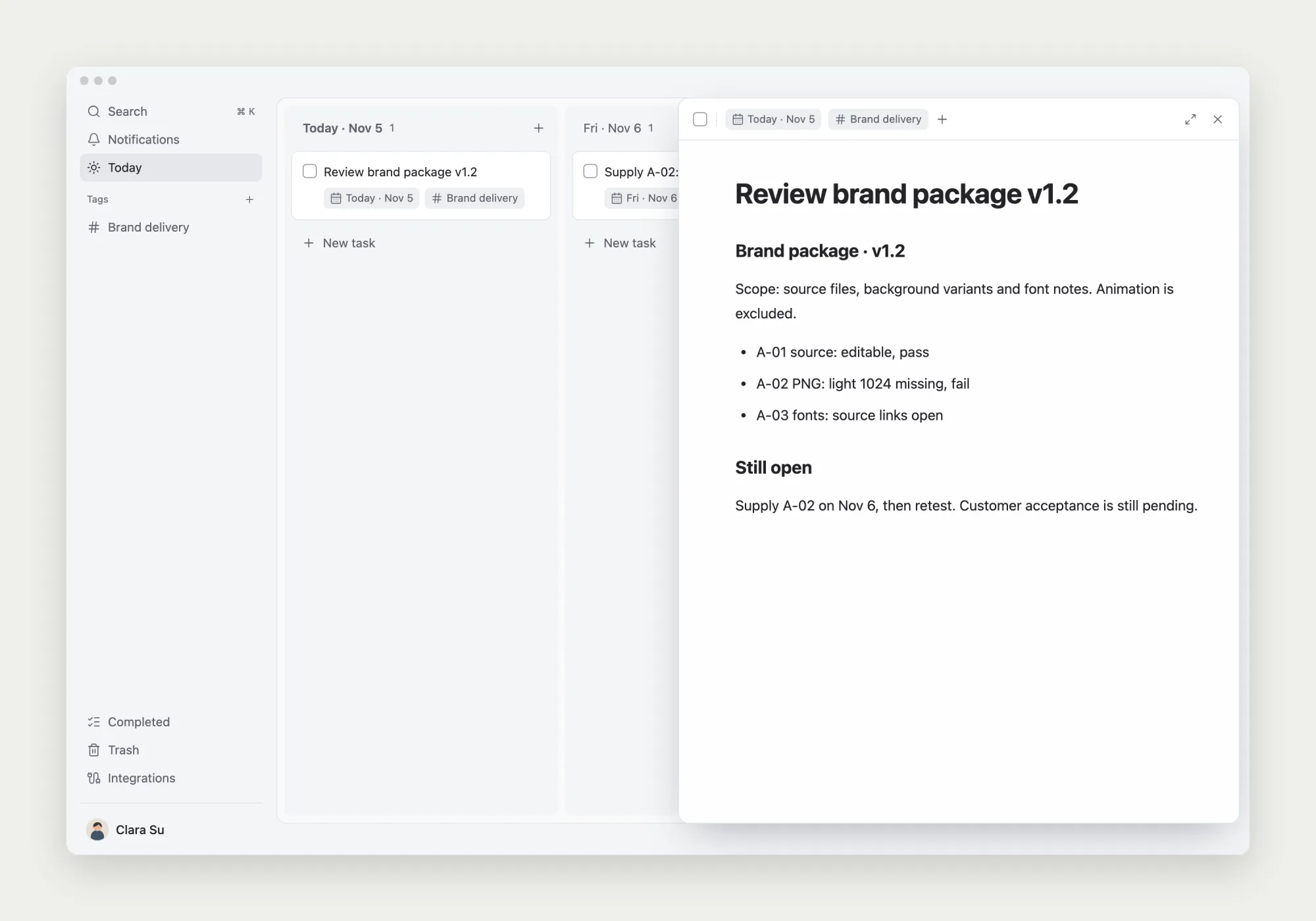
Write the review status in the note or table. Leave unchecked items as “not checked,” and inspect a new version before carrying a result forward. Keep your own verification and the customer’s acceptance as separate dated records.
Copyable project acceptance checklist
Project / scope of this delivery:
Version / delivery date / file location:
Agreed requirement / confirmation date:
Reviewer or contact / confirmation channel:

Check ID / deliverable:
Acceptance criterion / verification method:
Check environment / date:
Actual result (not checked / pass / fail):
Evidence / gap / effect on intended use:

Replacement action / contact / deadline:
Retest version / date / result:
Accepted scope / approver / date and source:
Remaining items / next steps:Retest the replacement against the original item
Keep the v1.2 review in TodoNote. Create subtasks for supplying A-02 and retesting the replacement, with start dates and the agreed delivery deadline. The note retains the missing-item ID, file location and original result.
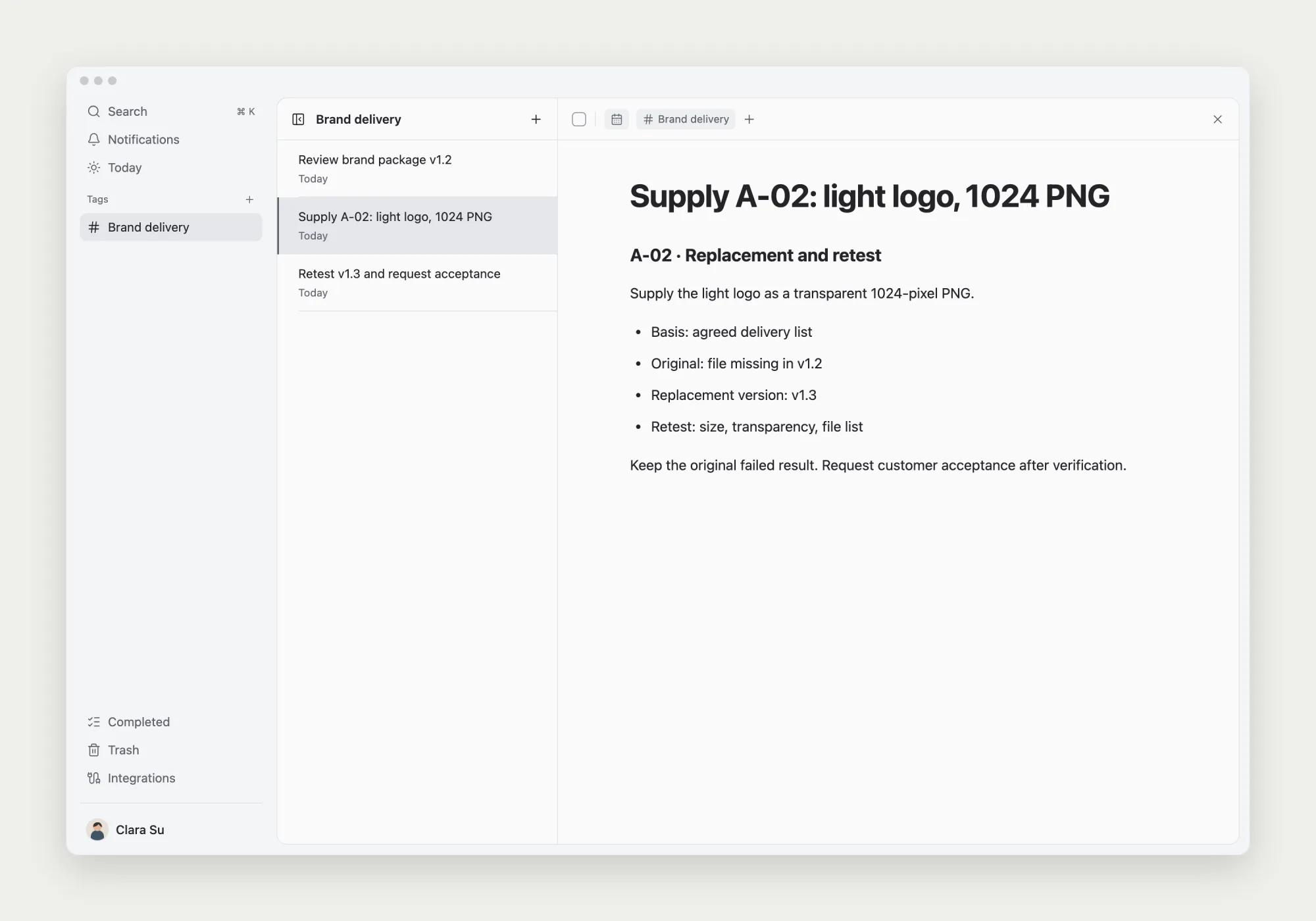
When the replacement becomes v1.3, append the retest date, version and result under A-02. Preserve the failed v1.2 result. If repackaging changed other files, check those changes too; the presence of the missing PNG does not establish that the whole archive passed.
Record the accepted scope and remaining work
After confirmation, record the accepted version, scope, date and arrangements for anything outstanding. While waiting, keep acceptance open and schedule a follow-up. TodoNote holds the review record; formal customer confirmation follows the channel the parties agreed.
For new requirements, use a change record to confirm scope. When someone else needs to continue the work after acceptance, prepare project handover notes.