GTD helps clarify commitments, projects, and next actions. Bullet Journal uses concise entries for tasks, events, and notes, with reflection and migration to decide what remains relevant. Choose according to your main difficulty: losing commitments or keeping a useful daily record.
Both require review. GTD does not require elaborate software, and Bullet Journal does not require decorative spreads. Identify the problem before adopting a system whose upkeep could exceed the work it supports.
Start with identical inputs
Suppose you receive three things: a Thursday signup review, interview material a colleague owes you, and an idea for clearer button wording. “Signup flow” names a topic but does not tell you what to do next.
The official GTD method describes capture, clarify, organize, reflect, and engage. Clarifying turns review preparation into an action, puts the missing material on a waiting list, and keeps an uncommitted idea separate from promised work.
The official Bullet Journal guide explains rapid logging and migration. A daily log can distinguish the meeting, the preparation task, and the idea; a review decides what to schedule, migrate, or remove.
| Input | GTD question | Bullet Journal review |
|---|---|---|
| Thursday review | What preparation is the next action? | Where is the event and its preparation? |
| Missing interviews | Who am I waiting for; when do I check? | Does migration retain a follow-up? |
| Button idea | Commit now or consider later? | Keep, migrate, or remove? |
Compare decisions during review
SYSTEM-01 keeps those three inputs distinct. Copying “waiting for interviews” to a new day does not advance it: the record still needs a contact and a time to check. The button idea has not silently become an approved change.
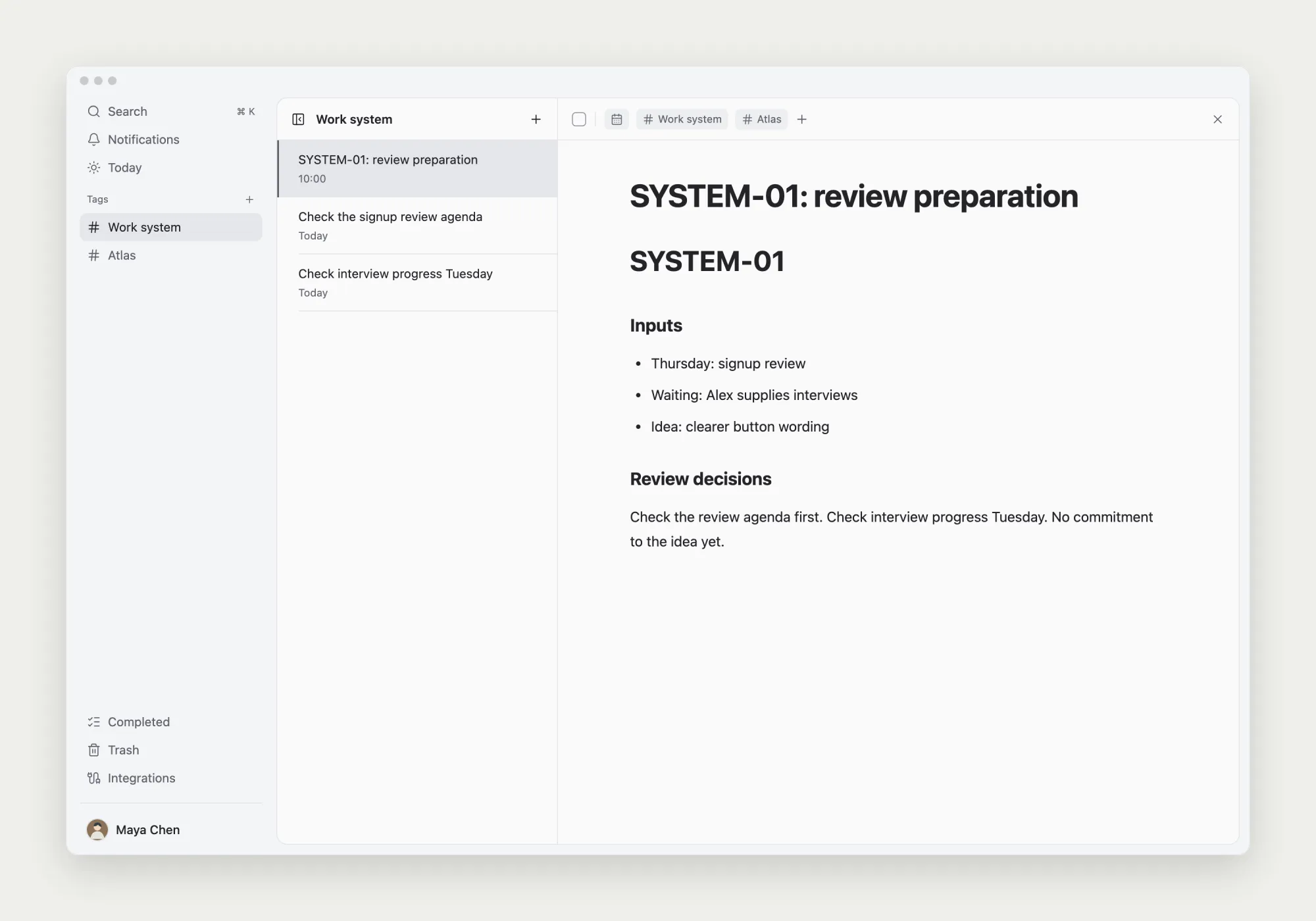
Ask whether you can find every active commitment and select a concrete action when you start working. If the pages multiply without answering those questions, revise the review practice before adding more structure.
Combine practices with a clear home
You can capture the day on paper and use GTD questions to clarify actions. Give each kind of information a primary home instead of copying everything into a notebook, task app, and calendar.
In TodoNote, arrange actions as tasks, keep thinking in their notes, and use tags to retrieve a topic. If paper remains useful, refer to its date or page number so each record has a purpose.
Review a week of actual use
Track missed commitments, repeatedly migrated work, and difficult lookups. Keep the practices that make review sustainable. You can improve the system gradually rather than implementing every practice at once.
A template to copy
Work for this week:
Most common omission:

New input:
Task, event, or note:
Is it a commitment?
Next action:
Waiting for whom or what:
Primary record location:
Next review:
Practices to keep after one week:Related workflow: How to process a GTD inbox without creating another backlog
Sources and background: Getting Things Done · Bullet Journal