Processing a GTD inbox means deciding what each input means and where it belongs: delete it, retain it as reference, consider it later, or define its next action. It does not mean completing every item or assigning every thought a deadline.
Capture can be rough: “workshop,” “read this link,” or “ask about the venue.” Clarifying turns those fragments into decisions. Otherwise, every visit to the inbox starts with reconstructing what you originally meant.
Clarify one input at a time
The official GTD overview separates capture from clarification. Decide whether an input requires action before organizing it.
Ask what the item is and what you intend to do about it. If the desired result takes several actions, name the project outcome and identify a next action you can actually start. For non-actionable material, distinguish reference value from a possible future intention.
| Captured item | Decision | Destination |
|---|---|---|
| Prepare the workshop | Several actions needed | Project outcome plus attendance confirmation |
| Venue information email | No separate action | Workshop reference note with source |
| Maybe record a course | No commitment yet | Someday idea with a Friday review |
| Expired registration link | No remaining use | Delete |
Make the next action startable
INBOX-01 concerns an internal workshop. “Prepare workshop” is not a concrete move. “Ask the coordinator to confirm attendee numbers” names an action and a recipient. The room size can wait for that answer.
In TodoNote, keep the workshop outcome and background in a parent task and make attendance confirmation a subtask. Save venue details with the relevant notes. Keep the recorded-course idea separate from this week’s committed delivery.
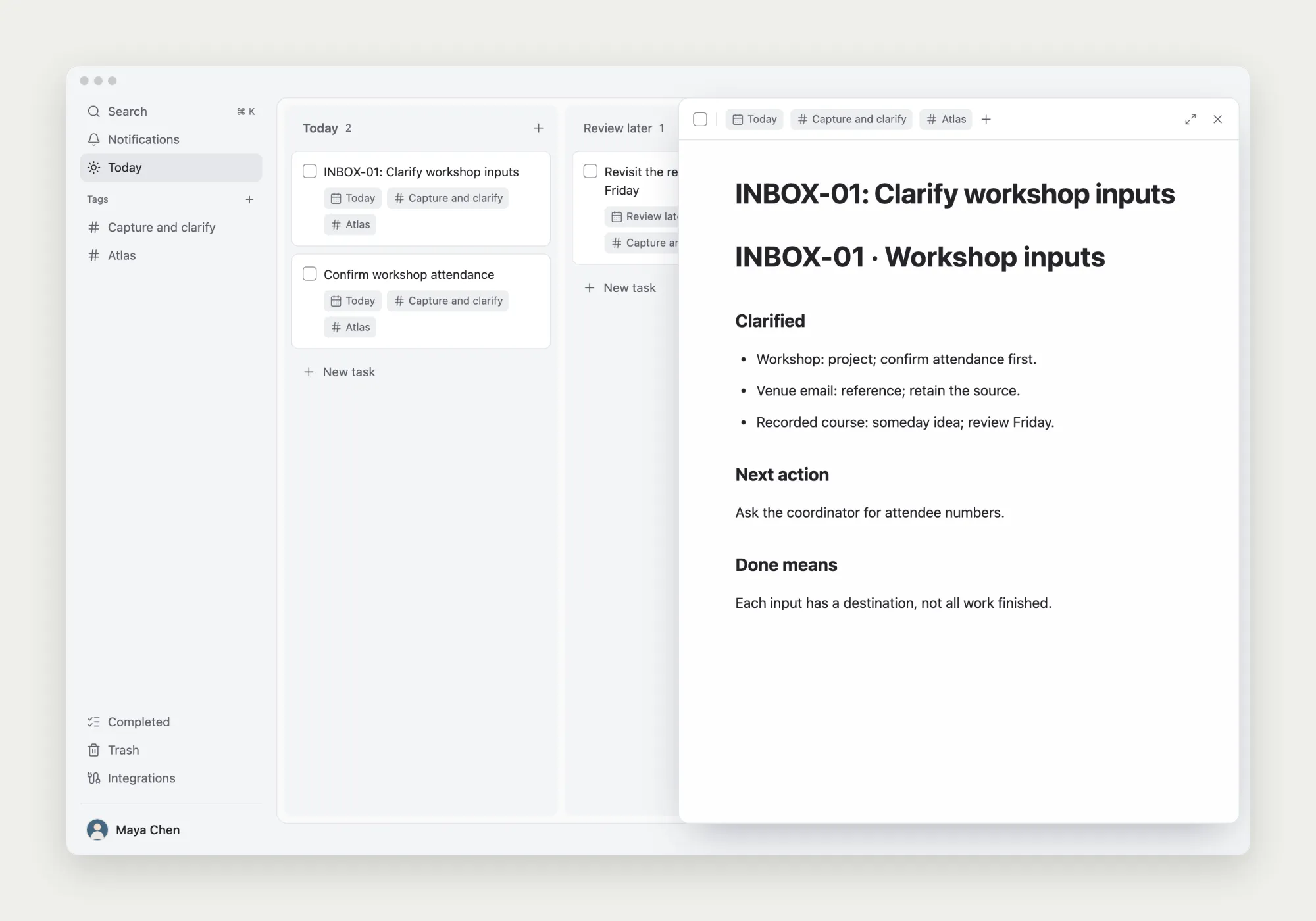
Clarifying is not an invitation to finish everything
You can handle a genuinely brief action immediately. If it expands into an agenda discussion, schedule that work and return to clarification. One input should not silently consume the whole processing session.
After sending a request, record what response you are waiting for and when to follow up. “Sent” describes a communication step, not necessarily a completed outcome.
Check that every destination can be trusted
Before removing an item, check that its action is specific, its supporting material is retrievable, or its future review is clear. If you cannot choose a destination, finish the missing decision instead of creating an Other category.
Choose a review time that suits your incoming volume and add another pass when necessary. The point is a flowing inbox and a dependable action list, not a perfect empty state at every moment.
Continue with: GTD Waiting For List: A Template for Replies and Follow-Ups