Create one task per payment. Give each a trigger, an agreed due date if known, the current status, and the next follow-up. That makes it clear which action belongs on your schedule and which payment still depends on a deliverable.
Split payments by milestone
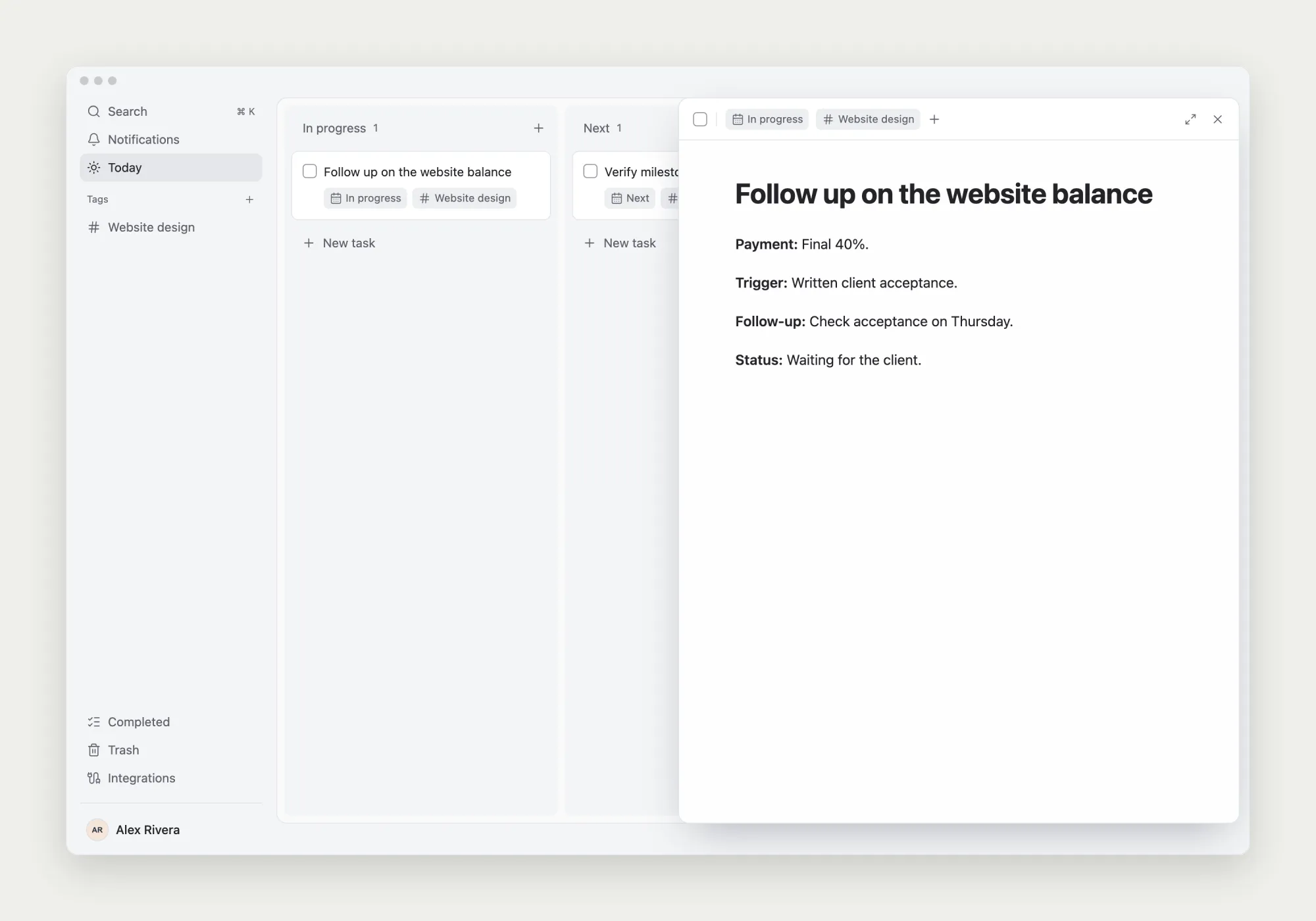
A website project has three agreed installments: 30% before work starts, 30% after design sign-off, and 40% after final acceptance. Use one task for each, with the project and stage in the title.
Use a project tag in TodoNote to keep payments and delivery tasks together. Put the acceptance link and payment terms in the balance task so you can review the agreement when the trigger occurs.
Separate the due date from your follow-up
The client expects to respond on Thursday, while the balance depends on acceptance. Put Check acceptance feedback on Thursday. Keep the payment terms in the note. The date on your board tells you when to act.
Once acceptance comes through, record the due date according to the existing agreement. If the client says payment was arranged, save the reply and set a date to check receipt. Complete the task when the money arrives.
Review items with no next action
During a weekly review, look for payments waiting on client action, those due for a follow-up, and those you need to verify. Give each open item a specific action, such as sending an acceptance form or matching a payment to the project.
For a partial payment, record the amount received and the remaining balance. Schedule a new check for the remainder. The project tag keeps the terms and correspondence accessible.
Copy this milestone payment tracker
Use one copy for each installment. Fill in dates and amounts from the agreement you already have.
Project and milestone:
Agreed amount or percentage:
Payment trigger:
Agreed due date:
Current status:
Last confirmation or receipt:
Next action and date:
Acceptance, invoice, or payment reference:Start with the next installment that needs attention. If the note tells you what you are waiting on and when to check, it is ready to schedule.
Related guide · Freelance proposal follow-up tracker: a template for the next reply