When AI extracts action items from several sets of meeting notes, compare the suggestions with your current task list before creating anything. Match each item by project, deliverable, and acceptance conditions. Then mark it create, update, skip, or confirm. A new title or due date can still refer to the same work.
Include completed items in this check. A meeting may repeat an already delivered commitment, or it may call for a separate retest.
Match on the outcome
Keep the original wording, meeting date, and task ID beside each proposed action. An owner can help narrow the match, but assignments often change during a project.
“Check the registration form” might mean validating required fields or walking through the mobile layout. Use the concrete result expected from the work to tell them apart.
Reconcile three versions of the plan
On Monday, the team committed to validating required fields by Thursday and created R-12. Tuesday's notes called it “check the required fields.” On Wednesday, the team agreed to move it to November 20 and to draft a confirmation email. A mobile walkthrough was still a suggestion.
| Candidate | Action | Why |
|---|---|---|
| Check required fields | Skip | R-12 already tracks that result |
| Move validation to November 20 | Update R-12 | Wednesday’s meeting confirms the new date |
| Draft the confirmation email | Create | It is a distinct deliverable |
| Consider a mobile walkthrough | Confirm | Scope and commitment are still open |
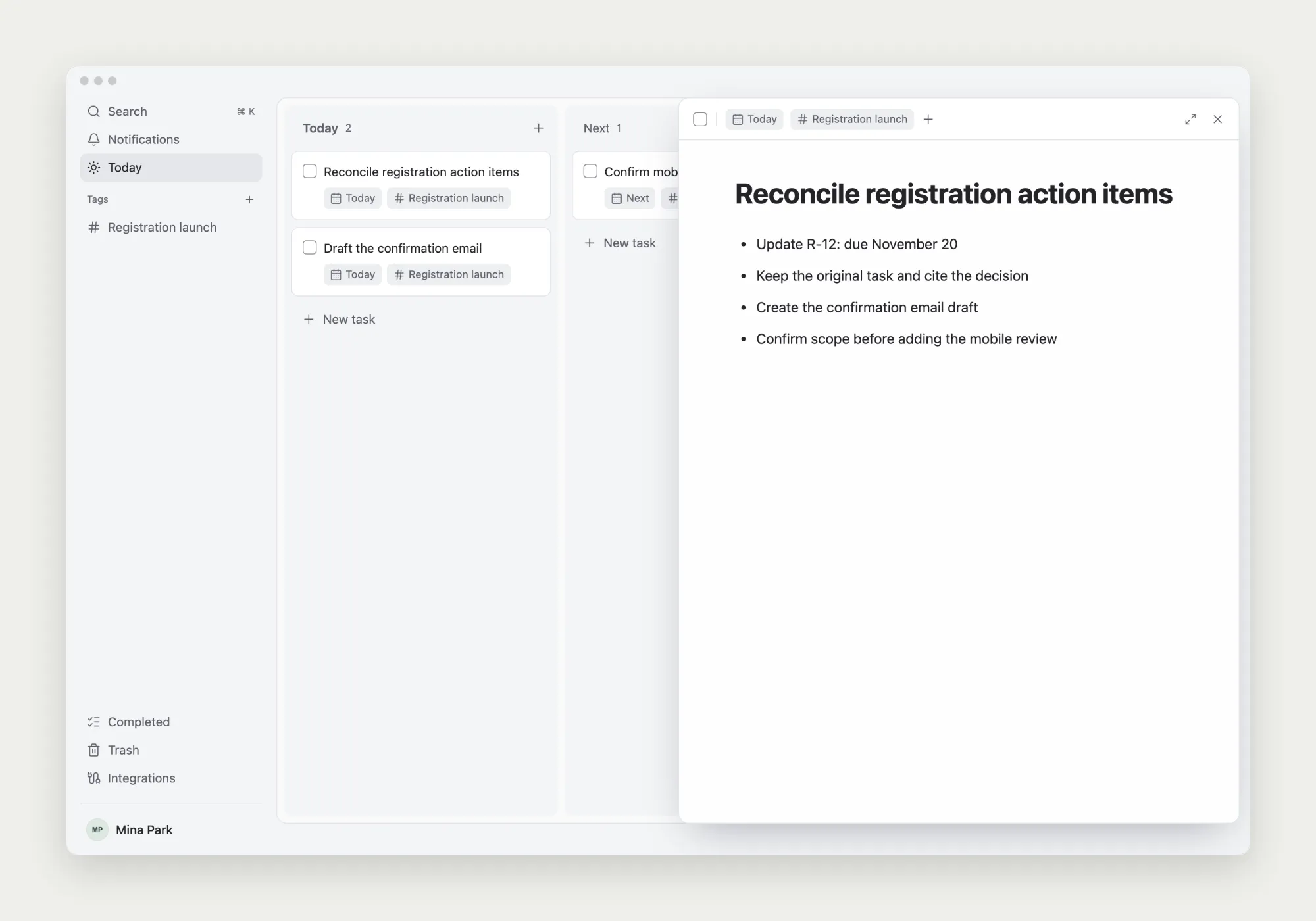
If R-12 shows as complete, read its test results before changing the status. A new layout test may deserve its own task, linked back to the original check.
Approve the changes before writing
Ask AI to return the suggested action, matching task ID, source excerpt, fields to change, and open questions. Have it produce a proposal first.
In TodoNote, open R-12 and check the task's current date and notes. Apply the confirmed date change and record where it was agreed, keeping the existing test history.
Run the comparison a second time
With the same inputs, a second pass should match the email draft to its new task and recognize that R-12 already has the agreed date. Only genuine open questions should carry forward.
Related reading · AI action item extraction: keep suggestions from becoming commitments