A useful bug report lets someone who missed the original incident reproduce it under the same conditions. Give the trigger and symptom in the title, then record the environment, shortest reproducible steps, expected result, actual result, and relevant evidence. The developer has a place to begin investigating.
“Filtering is broken” expresses frustration. “Opening page two after selecting Design loses the filter” identifies a path to test. A precise description can answer several questions before the first handoff.
Start with the observation
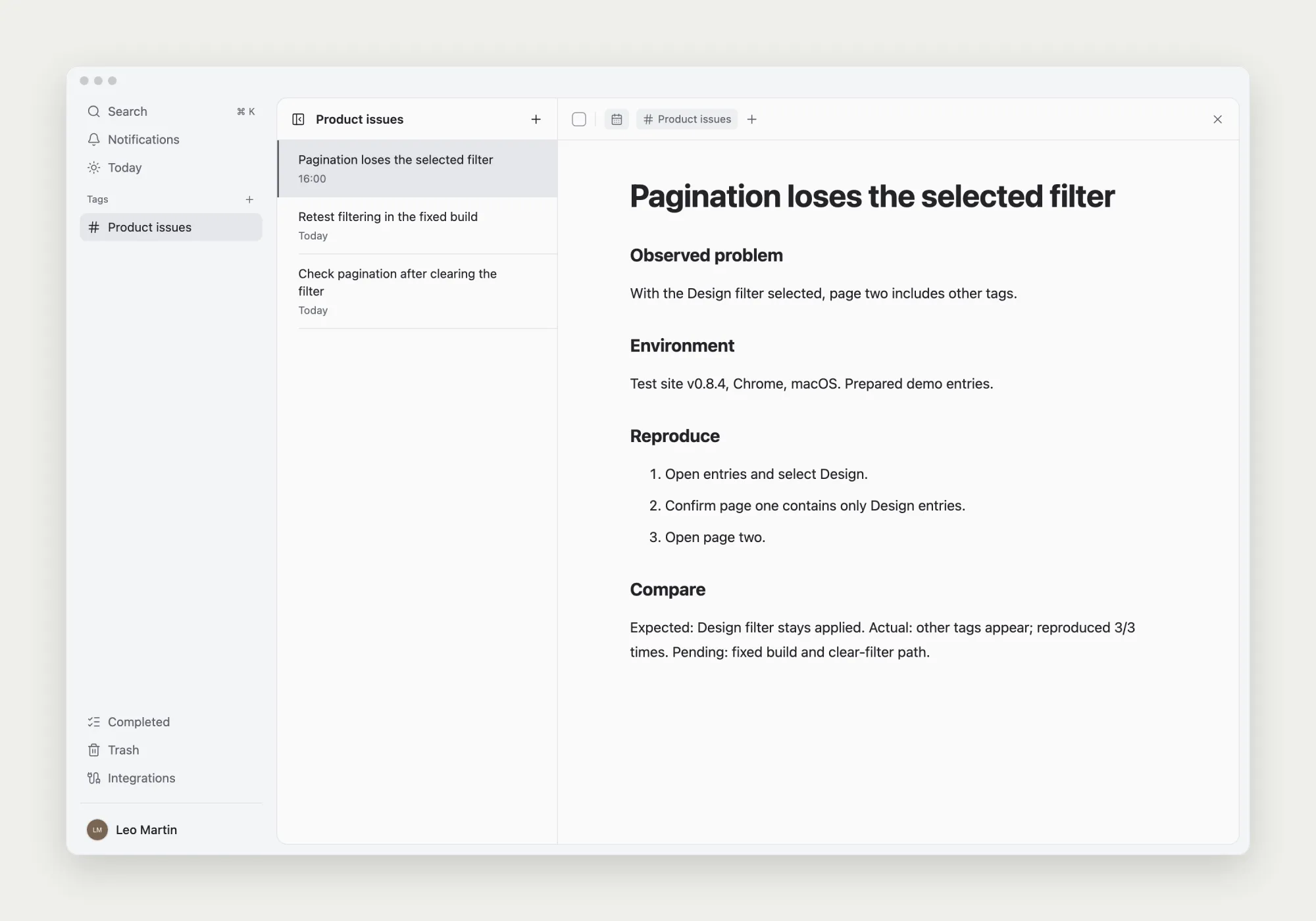
On a test site with prepared entries, selecting Design works on page one. On page two, entries with other tags appear. Record that observation before diagnosing a database or cache problem. Suspected causes can go in a separate section marked for investigation.
Include the application build, entry point, operating system, and browser. Add account role or data conditions when they affect reproduction. Use shareable test data and remove unrelated personal details from screenshots and attachments.
Make the steps possible to follow
Describe the starting state, the filter selection, and the page change in order. Each step should name a meaningful action. Add the observed frequency: “3 out of 3 attempts”, or “not yet consistently reproducible”, depending on what you actually saw.
Separate the two results. Expected: page two still shows only Design entries. Actual: entries with other tags appear. The Mozilla bug-writing guidelines also emphasize reproducible steps and this expected-versus-actual distinction.
Give evidence a specific job
A short recording can establish the sequence; before-and-after screenshots can show the changed result. Add the build and file location, so a useful image does not become an unexplained screenshot a week later.
Keep only diagnostic details in logs or request information. If the intended behavior is not agreed, link the requirement and ask for confirmation. An unresolved preference should not quietly become an established defect.
A fix still needs a test result
Keep the original steps, rerun them in the stated fixed build, and add what happened. Check a nearby path too, such as pagination after clearing the filter. A fix announcement and a successful retest are different records.
Use TodoNote for personal discoveries, missing evidence, and retest tasks. If your team already uses an issue tracker, link its issue and keep the official status there. The personal record supports that workflow without creating a competing status.
A starting template
Title: trigger + symptom
Build / environment / data conditions:
Starting state:

Steps to reproduce:
1.
2.
3.
Expected result and basis:
Actual result / frequency:
Evidence location:
Hypotheses to verify:

Issue tracker link:
Fixed build:
Retest date, steps, and result:Preserve investigation notes, the fixed build, and verification beside the original observation. Closing the task then has a concrete basis. For a wider production incident, continue with the incident postmortem template.