To write an Agent Skill, choose a recurring task with clear inputs and outputs. Extract the useful steps, decision rules, and exceptions from completed work, then put them in a SKILL.md file with name and description metadata. Test the instructions on fresh material against acceptance criteria you defined beforehand.
Explaining the same workflow in every conversation makes it easy to forget last time’s awkward edge case. On October 22, 2026, Anthropic announced its donation of Agent Skills to the Agentic AI Foundation. For everyday work, the useful question is how to turn a method you have already used into instructions an agent can reuse.
Choose a task with a clear stopping point
Maya prepares help-center update proposals from weekly support exports. Each feedback record has an ID. The deliverable is a set of candidate topics with supporting records; editing and publishing articles remain separate work. This boundary makes it possible to judge whether the workflow finished.
A good candidate has happened more than once and has recognizable inputs, outputs, and quality criteria. If each run still requires deciding the business goal from scratch, keep exploring and recording first. A useful Skill preserves a method that has earned its place through use.
What belongs in notes, an SOP, and a Skill?
| Material | What it contains | Example |
|---|---|---|
| Work notes | Observations, attempts, and actual results | F02 and F05 describe the same forwarded event |
| SOP | Steps and decision rules a person can follow | How to deduplicate and group feedback |
| Agent Skill | Activation description, inputs, steps, and output criteria | Instructions for an agent to prepare topic proposals |
MCP connects an agent to tools and data. See using existing task context through MCP when you need the agent to read your records. A Skill describes what to do with the material. A single prompt can contain a workflow too; maintaining a Skill gives that method a stable home.
Extract the decisions that changed the result
In this batch, F02 and F05 are two forwards of one event. F07 says only “still broken,” without reproduction steps. Maya records a practical sequence: identify duplicate events, group by the user’s goal, and separate records that need clarification. “Analyze feedback carefully” would leave these decisions unspecified.
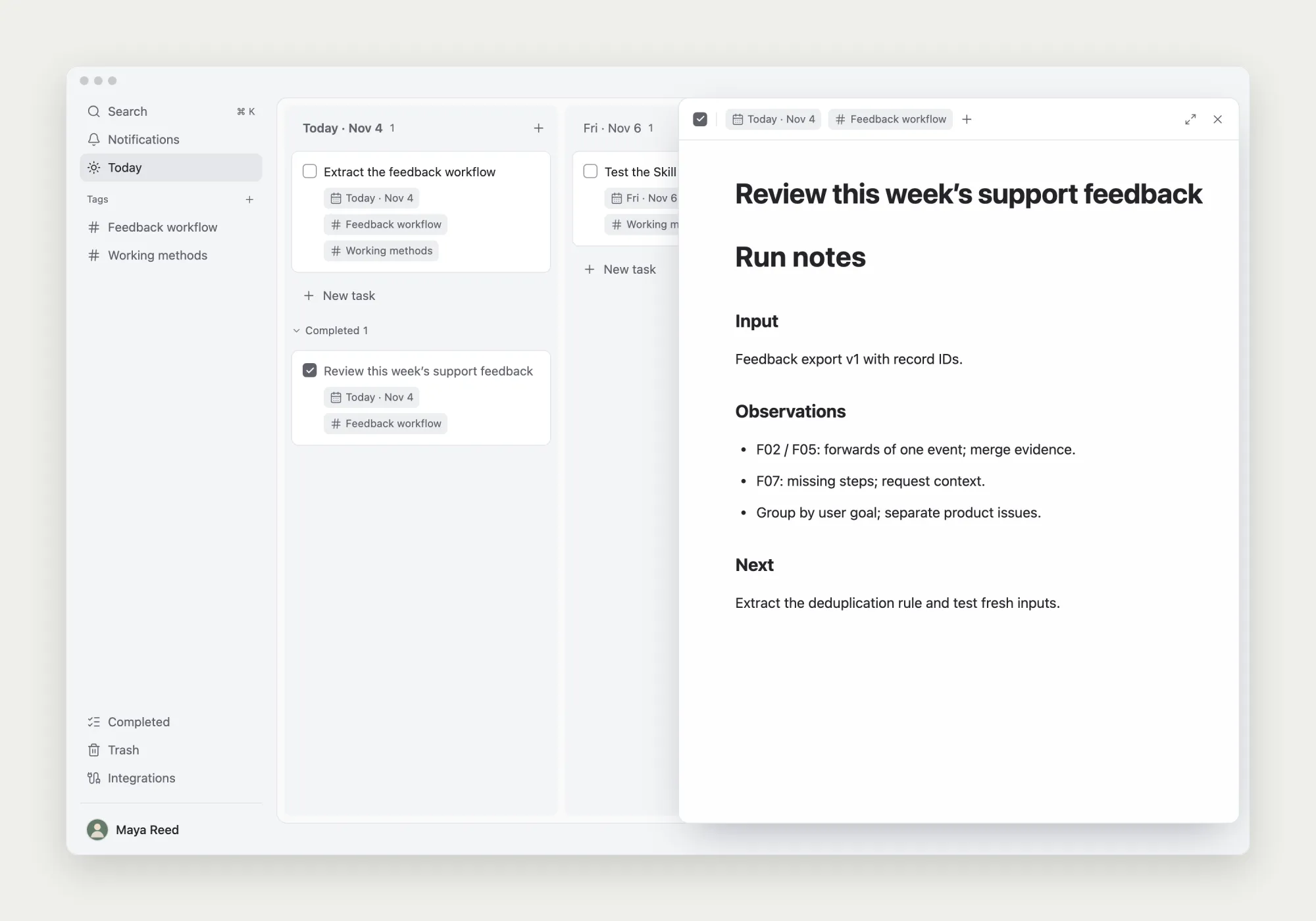
Keep this week’s names, dates, and conclusions in the run record. Move the deduplication rule, grouping approach, and missing-information policy into the reusable method. Linking a rule to the observation that prompted it makes later revisions easier to assess.
A complete SKILL.md example to copy
Following the Agent Skills specification, save this file as feedback-to-help-topics/SKILL.md. This small example works from material supplied by the user. Follow your chosen agent’s documentation for discovering and enabling the directory.
---
name: feedback-to-help-topics
description: Turn support feedback with record IDs into proposed help-center topics. Use when asked to suggest documentation updates from feedback records.
---

# Input
User-supplied feedback with IDs, original wording, and available event context.

# Procedure
1. Check IDs and context. List missing information; do not invent facts.
2. Identify duplicates using evidence of the same user and event. Retain uncertain cases.
3. Group by what users are trying to accomplish. Preserve supporting record IDs.
4. Separate documentation gaps, product issues, and insufficient context.
5. Propose topics for supported documentation gaps, stating the reader problem.

# Output
A topic table: proposed topic, user problem, supporting IDs, missing information.
List product issues and clarification requests separately. Propose only; do not edit or publish articles.

# Acceptance
Every topic has source support. Duplicate events are not counted twice. Unknowns remain explicit.Keep name aligned with the directory name and make description say when the Skill applies. Begin with a usable procedure. Scripts and large reference folders can wait until the workflow needs them; longer background material can later live under references.
Use new inputs to test the method
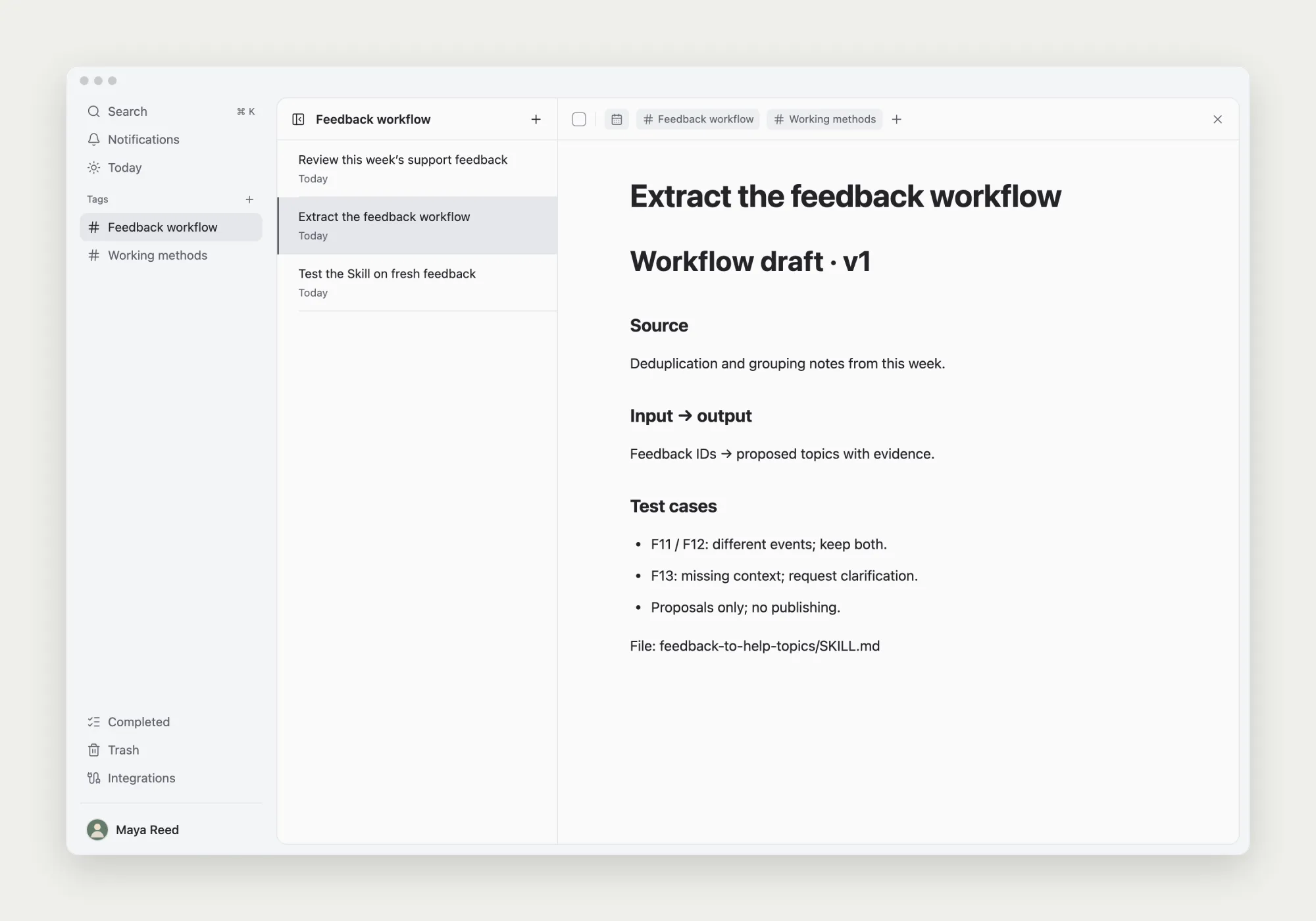
Try F11, F12, and F13 next. The first two describe different users encountering a similar difficulty; F13 lacks event context. Expect two independent events to stay distinct and F13 to become a clarification request. If similar wording gets merged automatically, tighten the deduplication rule.
Also test an out-of-scope request such as publishing the new article immediately. This workflow ends with proposals. Save the test input, output, observed failure, and revision reason. One polished result is not enough to tell you whether the underlying decisions transfer.
Maintain the method separately from each run
In TodoNote, the original feedback task keeps the facts of that batch. A separate workflow task records rule sources, the Skill file location, and test results; a shared tag brings them together. The SKILL.md file is maintained separately, while your notes retain the reasons behind its instructions.
Use the existing method for the next batch and revise it when a new exception provides evidence. For work that needs a fixed checklist without an agent, a recurring task template may be enough. The useful outcome is less repeated explanation and correction next time.