Name a work note with a recognizable subject and the specific event or result it contains. Add the project when you’ll need to distinguish it from other projects. Add a date, round or version to distinguish records about the same subject.
Start with the words you would actually search
Months after sign-off, you might remember “Northline”, “homepage” and “approval”. Put those terms in the title. The metadata and body can hold the author, the reasoning and the source link.
A plain “Meeting notes” title becomes easier to recognize when it says which meeting or what was discussed. For a recurring meeting, a date also distinguishes the records.
Compare eight common titles
| Before | After |
|---|---|
| Meeting notes | Northline · Kickoff recap |
| Weekly notes | Northline · Weekly review · Nov 12 |
| Decision | Northline · Homepage copy approval |
| Options | Northline · Navigation label decision |
| Latest | Northline · Homepage preview v2 |
| Sent | Northline · Homepage handoff |
| Feedback | Northline · Mobile draft feedback round 1 |
| Next steps | Northline · Launch follow-up |
Keep a common project spelling across titles. Choose the year as well when the same meeting name will recur across years. If a version is meaningful, put the version in the title and the history in the note.
Use tags for groupings you browse
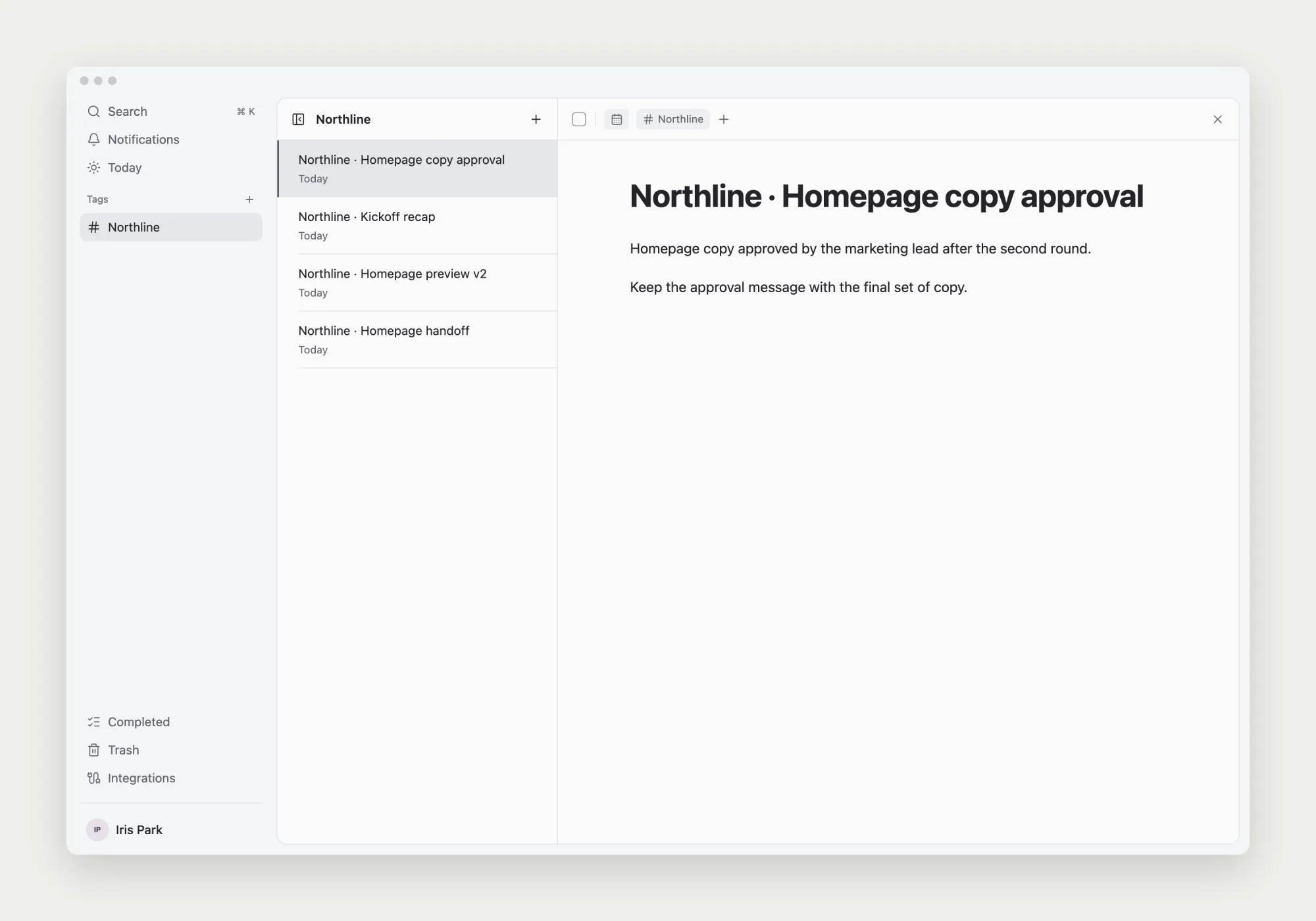
In TodoNote, Iris adds the Northline tag to meeting, decision and handoff notes. She searches for “homepage copy” when looking for one note, and opens the Northline tag when she wants the broader history.
A tag helps you browse a group, while the title should still make sense in a search list on its own. If the same client has more than one site, add a short project identifier.
Rename the next three notes you use
Try the pattern “Project · Subject or record · Date or version”. Open three notes you looked for recently. Rename them, then search for the phrase you remembered before opening them.
Pick the shortest title that still distinguishes the result. A good test is whether you can choose the right note without opening the other two.
Find an old note when you forgot the title · Organize note tags around retrieval