A useful task and notes app should let you identify the next action, understand the evidence behind it, and recover that evidence after completion. Compare those operations on one project before judging a tool by its feature count.
An attractive empty workspace tells you little about next Tuesday. The revealing test starts after you have added source material, changed a deadline, and forgotten why you chose an approach.
Compare workflows, then products
A checklist with descriptions, a page-and-database workspace, and a task with an editable note can all retain context. Notion documents projects and task databases; Todoist documents descriptions for task context. Test the actual interaction rather than assuming either product cannot keep notes.
Use TRIAL-01: revise a workshop registration page. Keep the requested change, source interview IDs, one unresolved question, and the review deadline. In each candidate, enter this same material without building an elaborate template first.
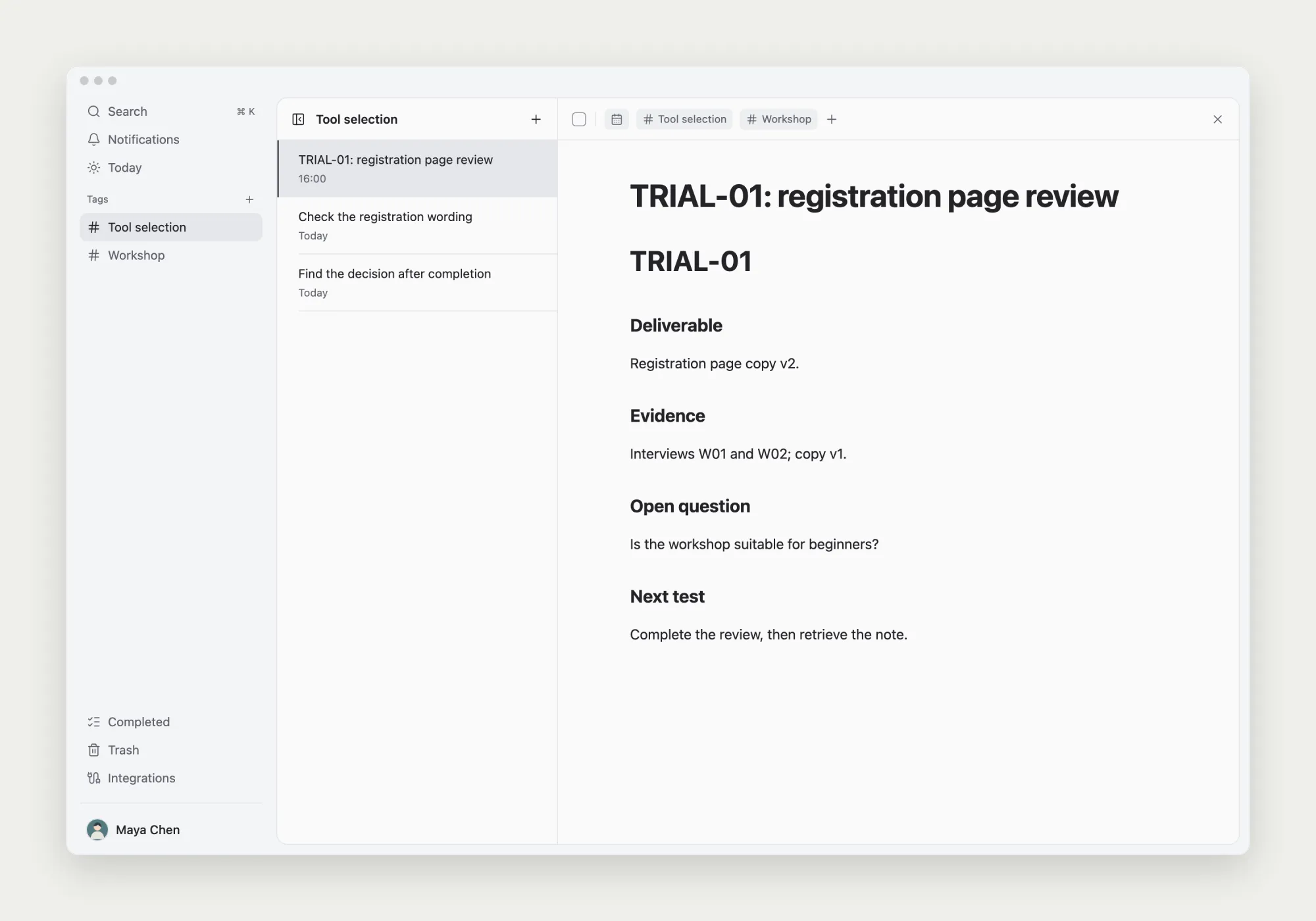
Run five tests on the same project
| Scenario | What to do | Evidence to record |
|---|---|---|
| Capture | Add an action and its source | Where each item lives |
| Schedule | Set the next work date | Whether context stays accessible |
| Change | Revise one requirement | Places that need updating |
| Complete | Close the finished action | What happens to the note |
| Retrieve | Find the earlier decision | Search route and missing context |
During capture, notice where the background goes. During scheduling, check whether the action and the deadline are understandable together. When a requirement changes, count the records you must update to keep the project consistent.
Complete the trial task, then search for the decision later. A task disappearing from today's view should not make its reasoning inaccessible. Write down the exact friction, such as needing to search two apps for the version that was approved.
Give the difficult test more weight
If returning to old decisions is central to your job, that test deserves more attention than the speed of adding a bare checkbox. If most tasks need only a short link, a simpler description field may already be enough.
TodoNote is worth testing when working notes belong directly inside the task. Put the registration evidence in the task note, split the review into subtasks, and use a project tag to find active and completed work. This is a workflow to try, not a reason to move every old note at once.
A comparison record to copy
Trial project:
Candidate app:
Expected deliverable:
Source material location:
Next action:
Scheduling friction:
Change tested:
Records to update:
Note after completion:
Retrieval route:
Most important limitation:
Keep / adjust / stop, and why:Decide after one complete cycle
Try capture, a return visit, a change, completion, and retrieval. Choose the tool whose everyday maintenance you can sustain. Check current official pricing, platform support, and any required integrations separately before committing.