A project risk register records the conditions that could lead to an event, the objective it could affect, the evidence behind your assessment, and the response. Add an action owner, a trigger and a review date so that the next check can change the plan.
“Equipment might fail” gives you little to act on. Try: the venue has not confirmed its projector connection; if the presentation laptop cannot connect, Saturday’s demonstration may be interrupted. Now you can decide what to check and what backup to prepare.
Describe a condition, an event and an impact
APM’s risk management guidance separates existing conditions, possible events and effects on objectives. This example focuses on threats to delivery; opportunities can also be assessed as project risks.
Maya is preparing a workshop for November 7. On November 5, the venue has not supplied a photo of the projector ports. That missing confirmation is a known condition. Connection failure is the possible event; losing the planned demonstration is its impact.
| Type | Workshop example | What happens next |
|---|---|---|
| Risk | The laptop may not connect | Prepare prevention and a fallback |
| Issue | A connection test has already failed | Record the impact and resolve it |
| Task | Request a photo of the ports | Schedule an action with a finish condition |
Prioritize using evidence and lead time
Consider the effect on the goal, the time needed to respond and what you actually know. No connection test has run, so likelihood remains “unconfirmed.” The demonstration is central and borrowing equipment takes time, which makes this worth checking early. Avoid inventing a precise percentage.
If you use likelihood and impact levels, define them consistently within the project. Confirmation that the room has enough chairs says nothing about projector compatibility. Link each assessment to the material that supports it.
Separate prevention from the fallback trigger
The preventive steps are to request the photo and test the actual laptop. The trigger is explicit: if compatibility is still unconfirmed at noon on November 6, ask the event lead whether to borrow a backup projector. The event lead still approves any cost or venue change.
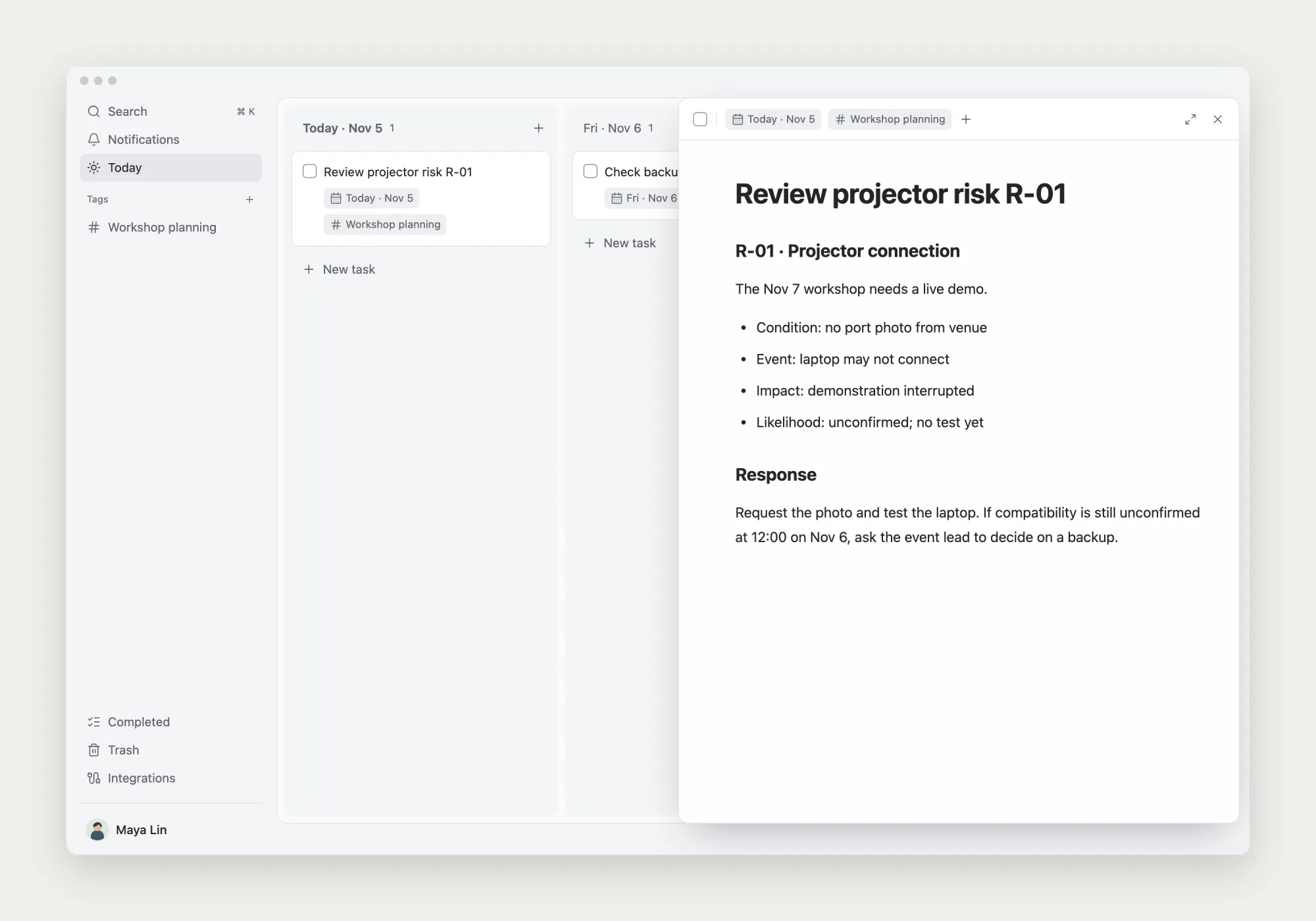
Copyable project risk register template
Risk ID / date identified:
Objective / current condition and evidence:
Possible event:
Effect on scope, timing or quality:
Likelihood / evidence / missing information:
Priority / reason:

Preventive action / contact / finish condition:
Trigger / latest decision point:
Fallback / approval needed:
Response tasks / start dates and deadlines:

Current status / next review date:
New evidence / revised assessment:
Occurrence, reduction or closure / reason and date:Give each response an executable next step
Keep risk ID R-01, evidence and response decisions in a TodoNote task note. Create tasks or subtasks for requesting the photo and checking the backup, with start dates and any real deadlines. Record the contact and trigger in the note.
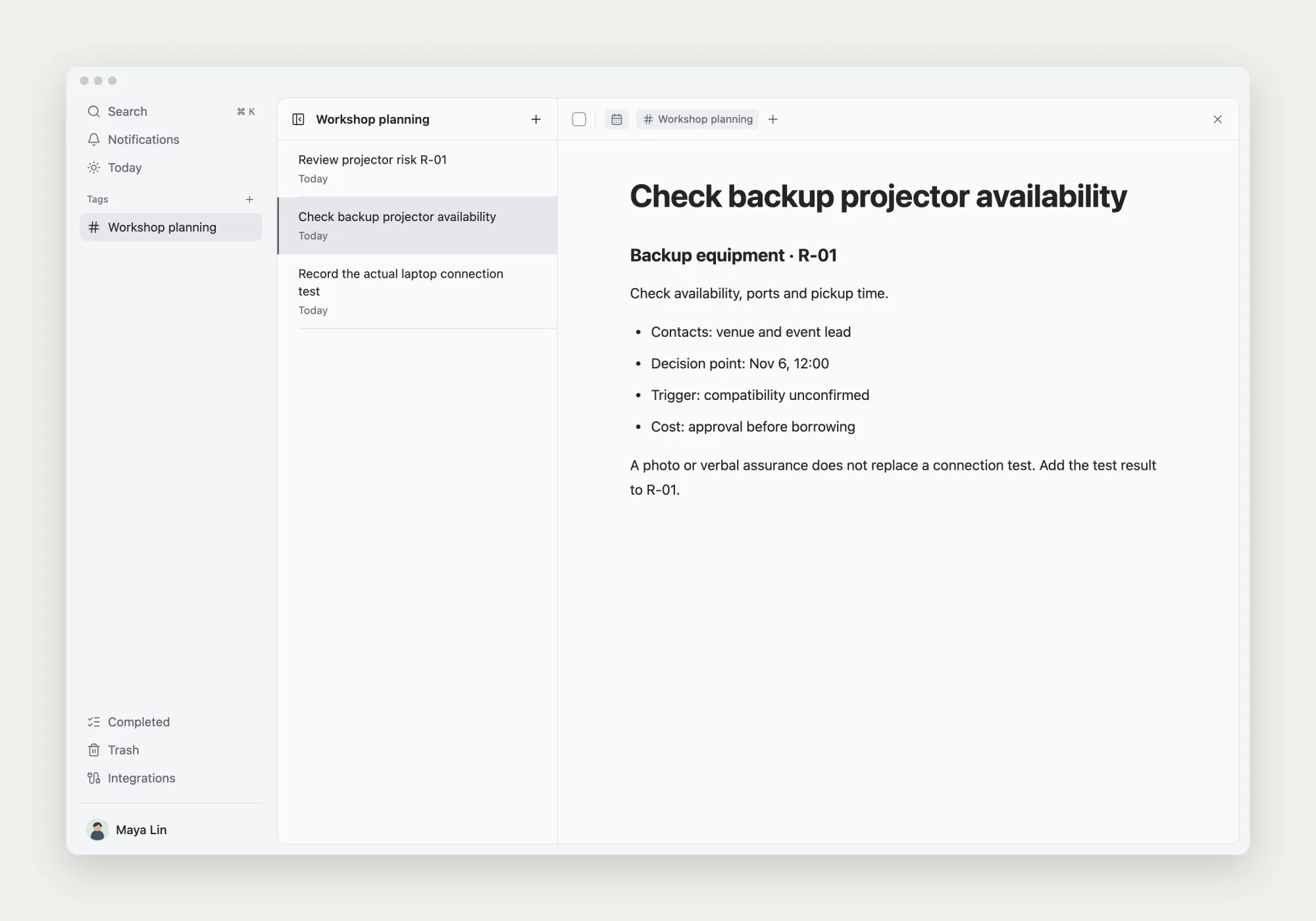
At the November 6 review, update the assessment using the photo and test result. Record which laptop and connection were tested and when. Completing “request a photo” closes that action; deciding whether the risk is reduced still requires evidence.
Record why a risk occurred, changed or closed
If it happens, add the time and actual impact and connect a resolution task. If the condition disappears or the project ends, record the closure reason. Use the Workshop planning tag to retrieve the evidence before preparing the next event.
Use a change record when a response alters an agreed scope or date. For a response that is too broad to start, use task breakdown to define the next action.