After acceptance, archive the final deliverable, evidence of approval, and the decisions worth revisiting. Make one summary point to the source records, then schedule any remaining operational checks separately.
Record a final version someone can open
When the help center redesign ships, record the live v2 release, final source files, and approval. Give each link a short label and verify access for the person who will take over.
Record the redirect decision where it can be found later: keep redirects from the original help center paths so links in older documents still work. Save the tested paths or point to the relevant check results.
Give the archive a route back into active work
In TodoNote, mark the approval task complete with its evidence intact. Add the project tag and a topic such as Website releases to records worth reusing across projects.
Schedule the one-week link check as its own task. After it happens, write down the sample, exceptions, and fixes so the next migration starts with evidence.
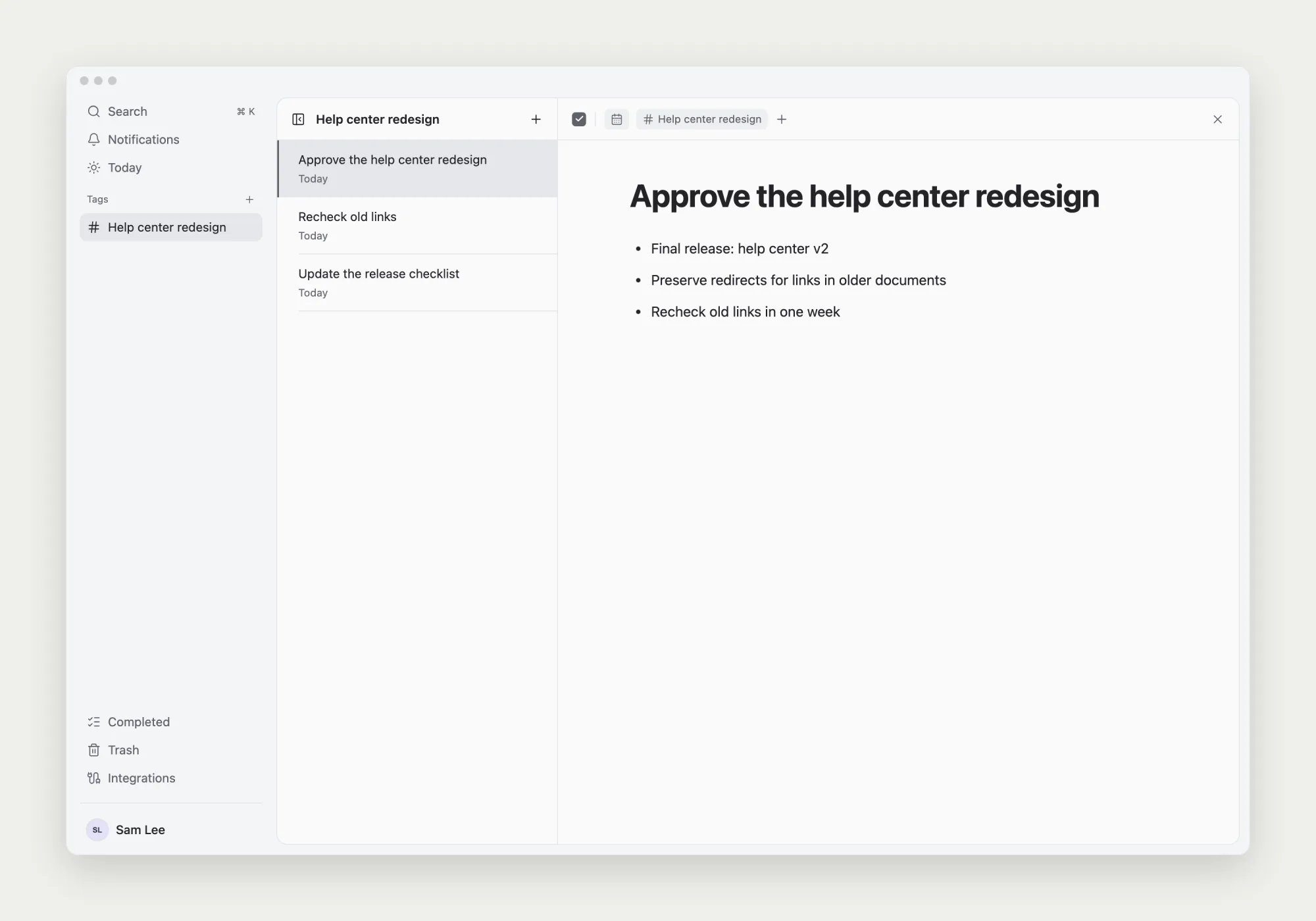
Try finding it three months later
Ask someone who was not on the project to find the release, redirect reasoning, and most recent verification starting from the project name. Fix missing titles or access before the team disperses.
On the next redesign, reuse one or two checks from the archive and confirm they still apply. That simple rehearsal gives you an observable test of whether the archive worked.
Give the archive an owner if it needs to outlast temporary review links or shared folders.
Copyable project archive checklist
Project and acceptance date:
Final deliverables, versions, and access links:
Approver, outcome, and acceptance evidence:
Decisions, reasons, and constraints at the time:
Remaining commitments with dates:
Material worth reusing:
Project tag and longer-term topic:Related workflow · Do completed task notes need a separate knowledge base?