If opening your productivity app means changing dates, filling fields, and tidying a board before you can work, simplify the plan. Put the work you intend to advance in Today, leave undecided work unscheduled, and break larger commitments into steps you can finish.
A plan should help you choose what to do next. A field or category does not need to be a prerequisite for starting unless it helps that choice.
Separate possibilities from today’s commitments
Client deliveries, interesting ideas, and things to read can share one workspace without all belonging in today’s plan. Give dates to work you have actually decided to tackle.
For example, a web designer needs to sketch an event signup page and check invoices today. Trying a typeface and sorting old screenshots can wait. Keeping those ideas unscheduled preserves them without making them current commitments.
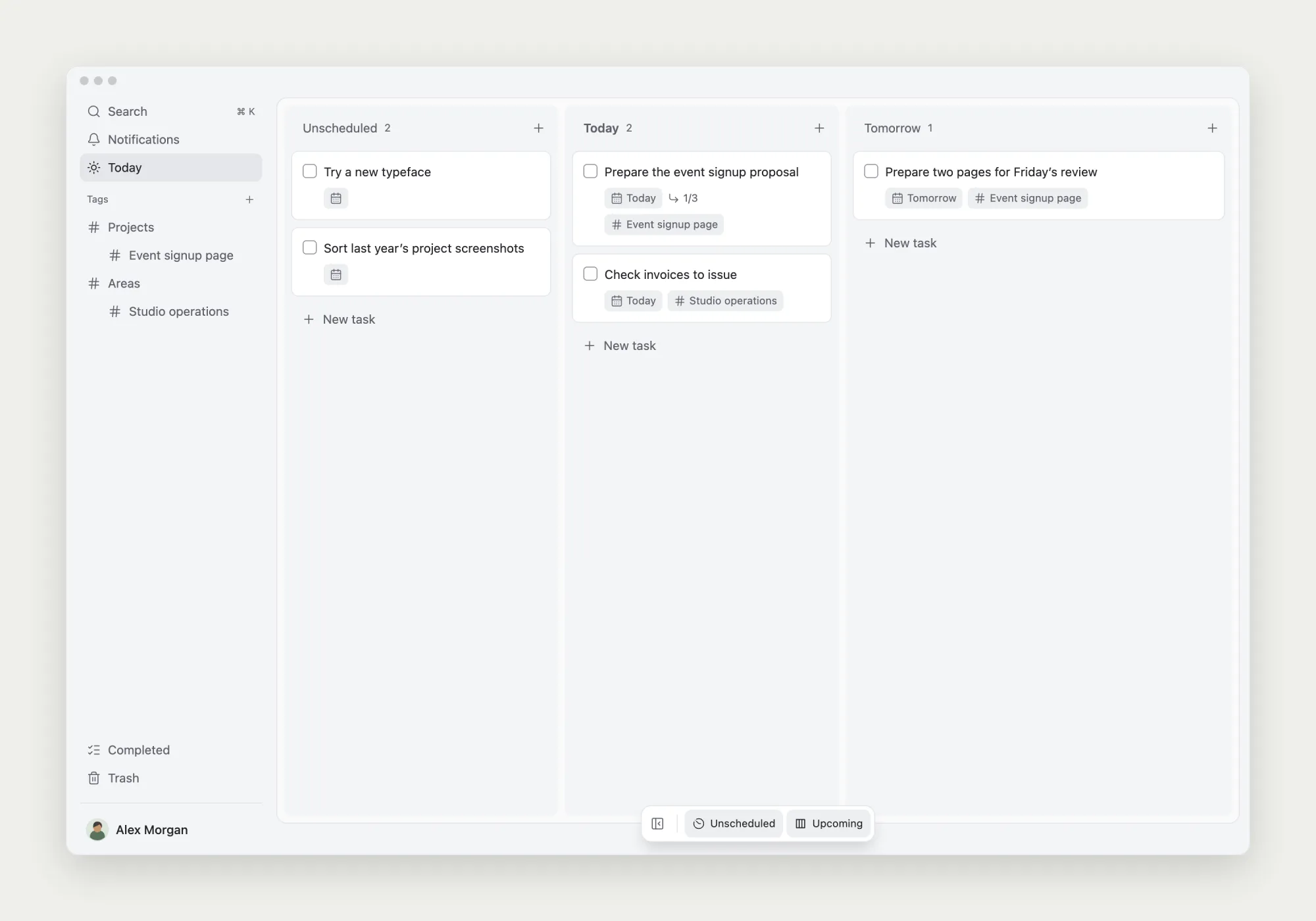
Break a large task down far enough to begin
“Prepare the event signup proposal” names a commitment, but it still leaves the starting point unclear. Open its note in TodoNote, define this delivery, and add subtasks with separately checkable results.
Here, the delivery is two wireframes: signup and confirmation. The event details are already confirmed. Sketch the screens, then collect the two questions that need client input. The parent keeps the overall goal; the subtasks show progress.
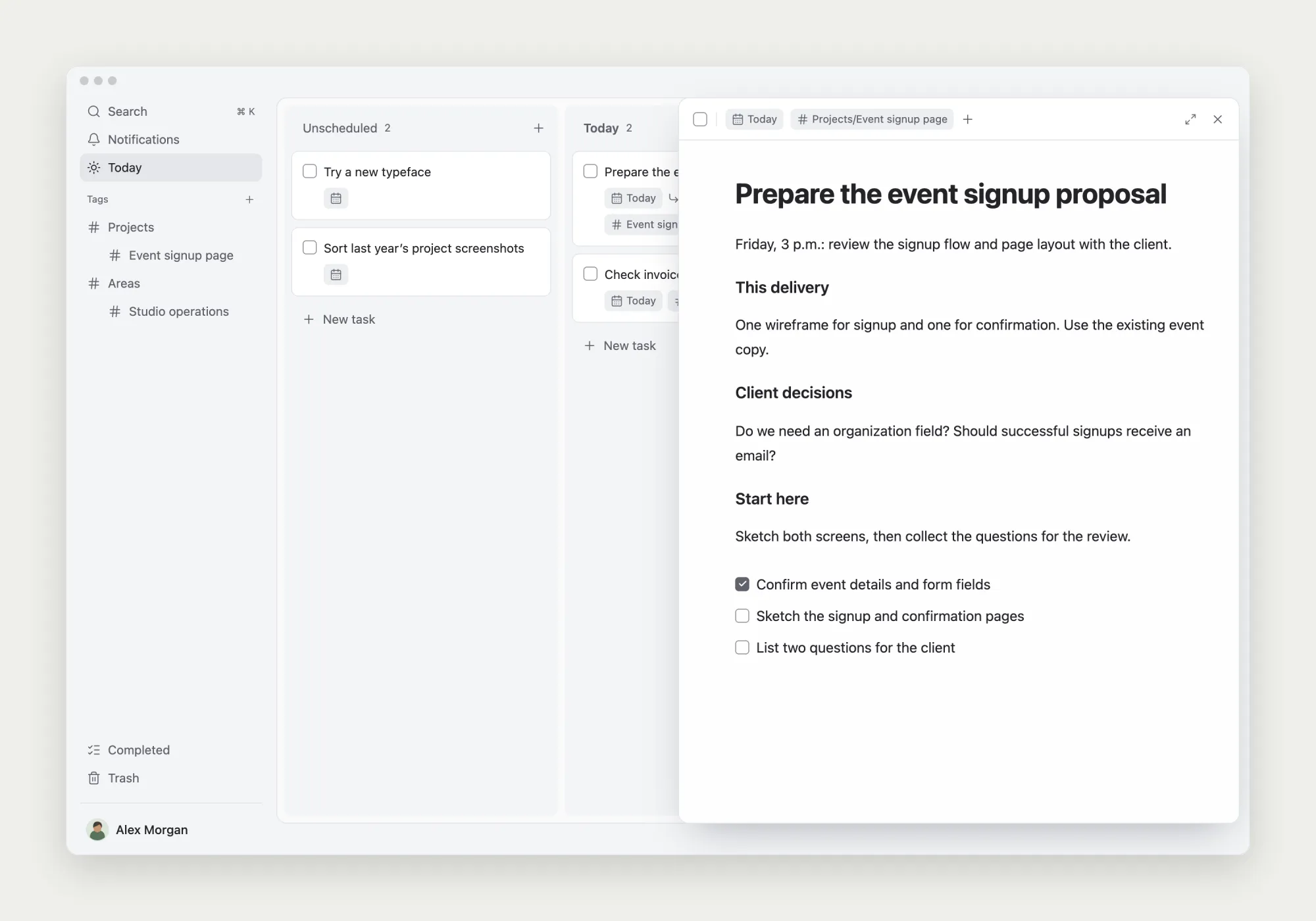
Give dates a practical meaning
A Friday deadline does not mean starting on Friday. A start date plans when work begins; a due date marks the latest delivery. Leave room for preparation between the two.
At the end of the day, decide what still deserves time tomorrow. Move a task back to Unscheduled if you are no longer planning to work on it soon. Re-dating everything is not the purpose of planning.
Test the plan by opening it again
Start with today’s column rather than redesigning your entire system. Open one task you intend to advance. If you still cannot start, clarify the scope or split off a step. If the next action is clear, do it.
Once work is underway, task notes can keep the current state and materials close at hand. That solves the separate problem of returning after an interruption.