To use Pomodoro at work, choose one concrete action, focus with a timer, capture interruptions, and review the outcome before deciding what comes next. Session counts describe effort; the deliverable still determines whether the task is complete.
The official Pomodoro introduction includes planning, interruptions, and reflection. A common starting rhythm is 25 minutes of work followed by a short break. Test whether that rhythm fits the task and your responsibilities.
Pick a workable scope
“Prepare the launch” is too broad to evaluate after one session. “Revise three signup error messages and check terminology” gives you a clear starting point and a result to inspect.
Estimating two sessions is an initial expectation. If interaction rules need clarification, record the added work. Hiding it inside the estimate makes the next estimate less useful.
| Situation | Response | Record to keep |
|---|---|---|
| Remember another task | Capture for later review | Item and review time |
| Message can wait | Agree on a reply time | Reply commitment |
| Urgent interruption | Stop and leave a resume point | Progress and interruption reason |
| Timer ends | Inspect output and rest | Completed scope and next action |
Give interruptions a destination
FOCUS-01 records two planned sessions. The first revised two messages; the second stopped for a call that required an immediate response. The interrupted period is retained as interrupted rather than counted as a complete session.
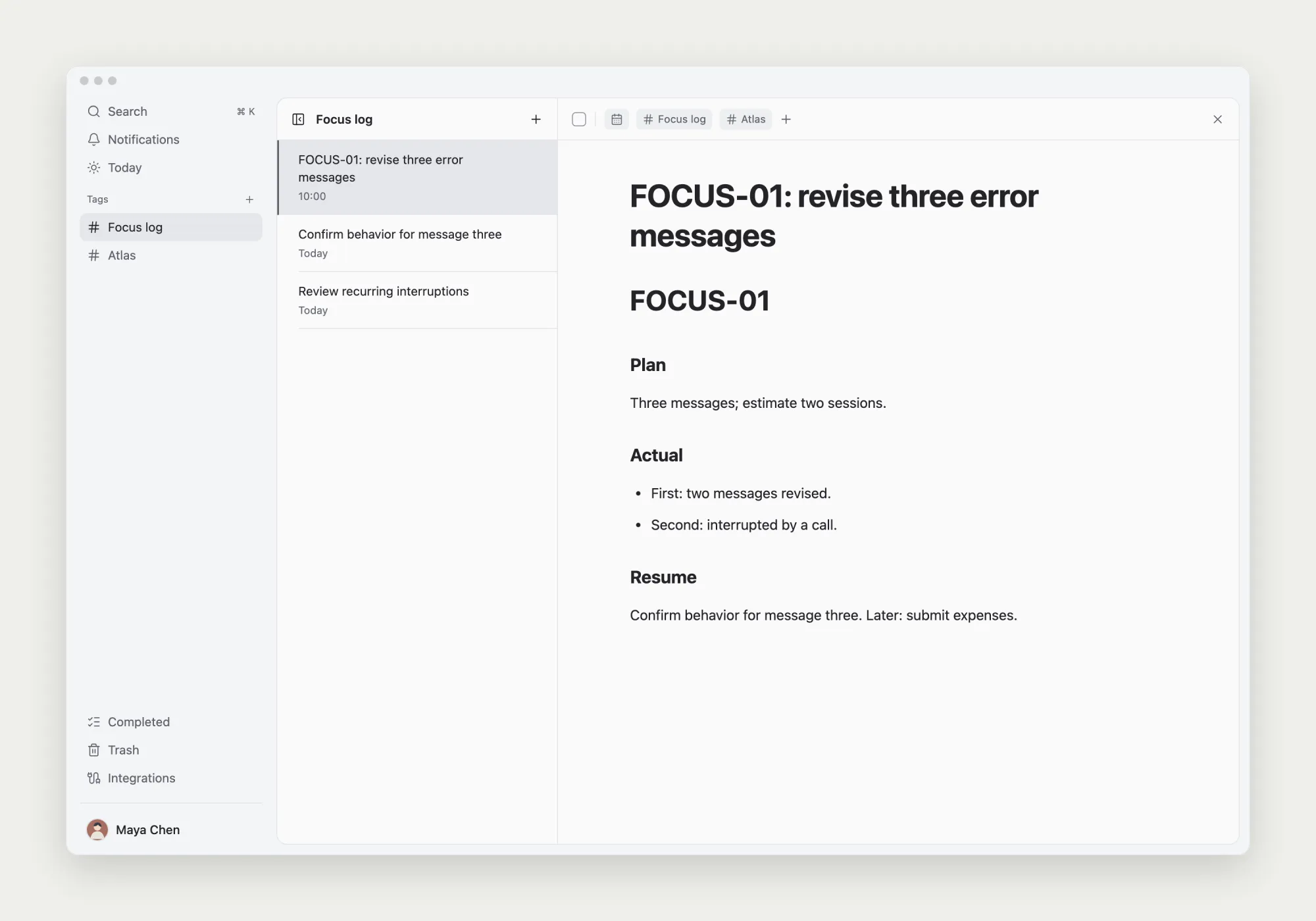
Capture an expense reminder for later. For a message that can wait, agree on a reply time. When something must be handled immediately, stop, record where to resume, and begin a fresh session when you return.
Inspect the output before continuing
When the timer ends, note what changed and what remains blocked, then take the break. Filling every break with email and small requests removes the recovery time you planned.
In TodoNote, keep the focus target and actual result in the task note while using a separate timer. Turn independent follow-ups into tasks. This workflow does not require automatic timing or Pomodoro counting in TodoNote.
Adjust using several records
Repeated searches for materials suggest preparing inputs earlier. Repeated messages may justify an agreed response window. Repeatedly oversized targets suggest narrowing each session's scope.
Compare progress on similar work rather than maximizing a daily count. Roles that require continuous availability may need a different arrangement before uninterrupted sessions are practical.
A template to copy
Task:
Focus scope:
Inputs ready?
Estimated sessions:

Start and end:
Completed or interrupted:
Actual output:
Interruptions and destinations:
Break:
Where to resume:Related workflow: How to Resume Interrupted Work: A Task Restart Note Template
Sources and background: Pomodoro Technique