When updating old blog posts, start with pages where outdated steps, broken links, or incorrect product behavior can stop readers from completing the task. Then review whether each post addresses the question readers came to answer.
Give every article a testable question
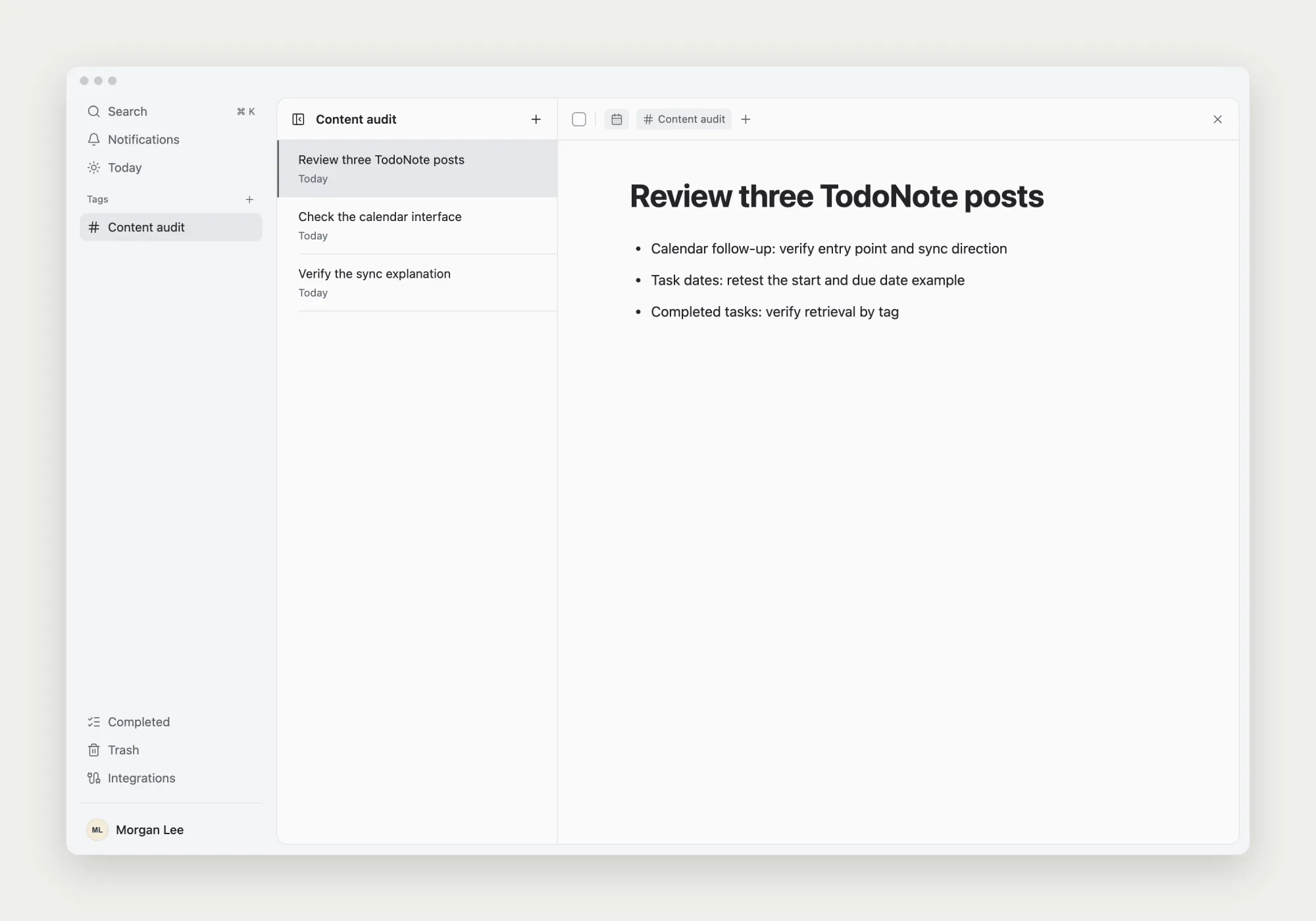
For TodoNote's Google Calendar meeting follow-up post, confirm the current entry point and sync direction. Recreate the example in the start-date and deadline post. For the completed-task notes post, check whether the described tag reliably leads back to the record.
Treat these as audit questions. Run through each article, compare the result with the current guide, and record any discrepancy with reproducible steps.
The three pages under review · Calendar follow-up · Start dates and deadlines · Notes from completed tasks
Turn priority into an edit
An incorrect step that blocks completion comes before replacing an image whose labels are still accurate. If Search Console data is available, compare the queries that surface the page with the main question the current post answers.
Give each audit in TodoNote a task and a shared topic tag. Keep the original URL and evidence in its note, and split edits, screenshots, and link checks into specific follow-ups.
Verify the edited page with the reader's workflow
Follow the revised instructions from start to result, then check the images, links, and localized versions. Use an update date that reflects the work done on the page.
Save the result and a trigger for a future review, such as an interface rename or a change in sync behavior. The next review can start with the previous evidence.
Google Search guidance on publication and update dates
Copyable old-post audit
URL and reader goal:
Problem and steps to reproduce:
Evidence, source, and review date:
Impact and priority:
Update, owner, and planned date:
What to verify before publishing:
Next review date or trigger:Related workflow · Weekly planning for content operations: turn publishing and reader feedback into the next topic