Name the monthly deliverable, then work backward to schedule collection, checking, and delivery. Give each step that needs its own completion state a subtask and review the dates when the month’s tasks are created.
Start from the delivery date
Set the monthly trigger early enough to leave a few working days. A trigger on the 25th gives you time to identify late submissions, arrange a review, and account for the current month’s calendar.
Keep recurring instructions and input sources in the template. Save this month’s discrepancies and file links in this month’s task so next month starts with a clean copy.
Example: a close across three working days
The operations report starts on the 25th with channel data collection, moves to reconciliation on the 26th, and goes out for review on the 27th. Reconciliation produces a list of discrepancies with an explanation for each one.
Adjust the dated steps for holidays and staff absences when the tasks are generated. If one channel is late, record its expected arrival and continue checking the inputs you have.
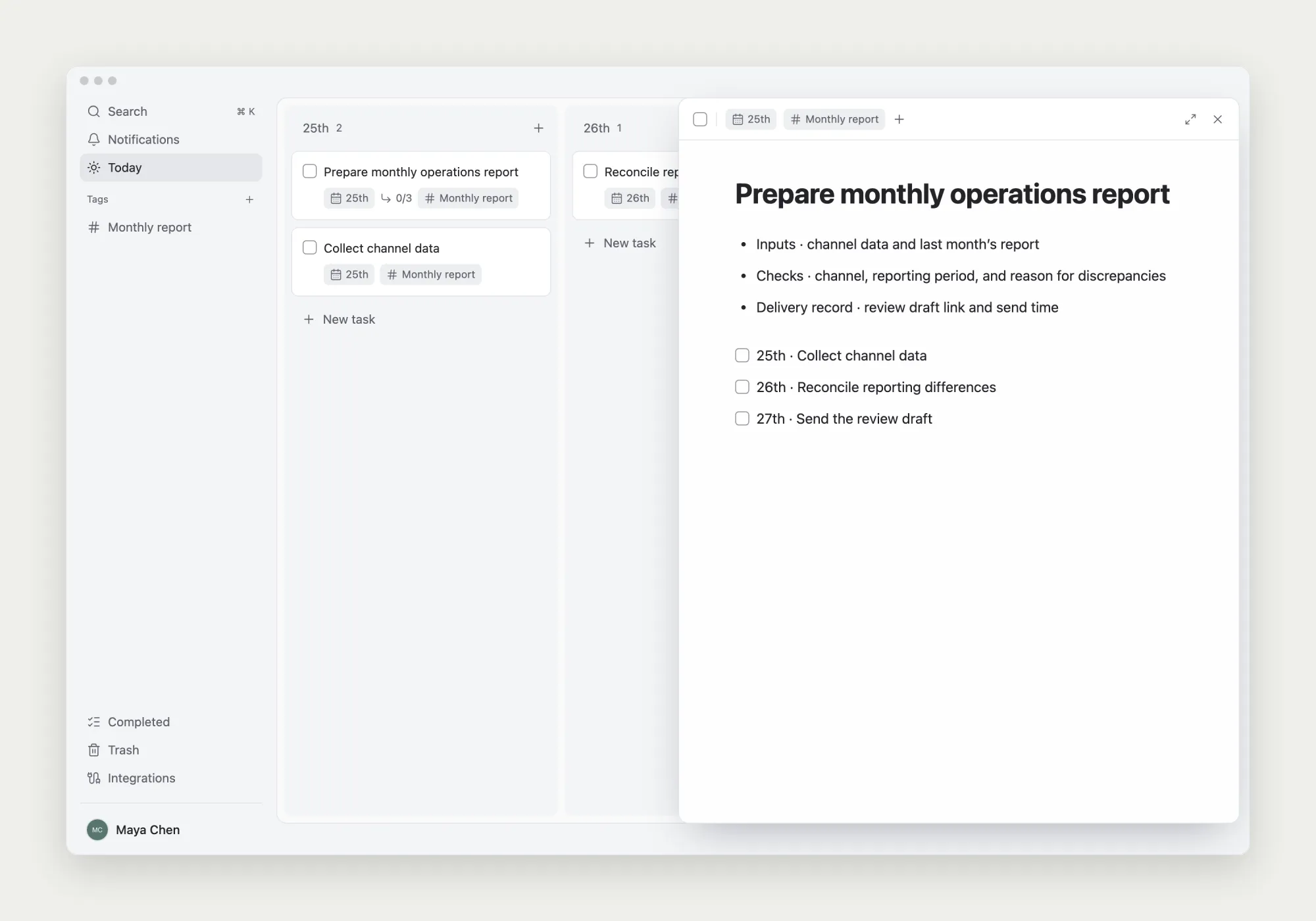
In TodoNote, create a monthly recurring task in Integrations. When it appears, assign a date to each subtask and work through the board. See the recurring tasks guide for monthly rules and title variables.
After sending the report, save the version and any reporting assumptions in the task note. Update the recurring template with changes that will apply in future months.
Copy the template
Schedule data collection, reconciliation, and report delivery on separate days with a reusable monthly checklist.
Collection and reconciliation can share a date and still have separate completion states. When data is late, you can see which step is holding up the report.
Monthly deliverable and recipients:
Planned delivery date:
Sources and owners:
Collection due date:
Checks and reconciliation date:
Reviewer and review date:
Sent version and delivery record:
Current exceptions and follow-up:For a related workflow, see Recurring tasks: reuse the checklist, keep a separate record of each run.