An API exposes software capabilities; MCP defines a protocol through which compatible AI applications discover tools and access context. An MCP server can call an existing API internally, so they often occupy different layers rather than replacing one another.
For reading a task note, ask which tools the client can discover, which permissions you granted and whether the returned record supports the intended next step.
What the protocol standardizes
A direct API integration handles the service's requests, data shapes and authentication. MCP supplies protocol-level tool descriptions and calls, while each service still determines business operations, data scope and rules.
MCP does not automatically grant account access, make every client support every capability or keep a record current. Check the client, server tools and authorization together.
| Question | Service API | MCP |
|---|---|---|
| Business capability | Application endpoints | Tools and context exposed to clients |
| Discovery | Documentation and integration code | Protocol capability and tool descriptions |
| Allowed access | Authentication and business rules | Still bound by authorization and server rules |
| Typical integration | Custom application or deterministic flow | Compatible AI client using tools |
Follow a note read through the layers
CONNECT-01 asks an AI to inspect course-release progress. In TodoNote, search_tasks matches task titles. Then get_task reads task information and get_task_document_markdown reads the body. Title matching is not full-text note search.
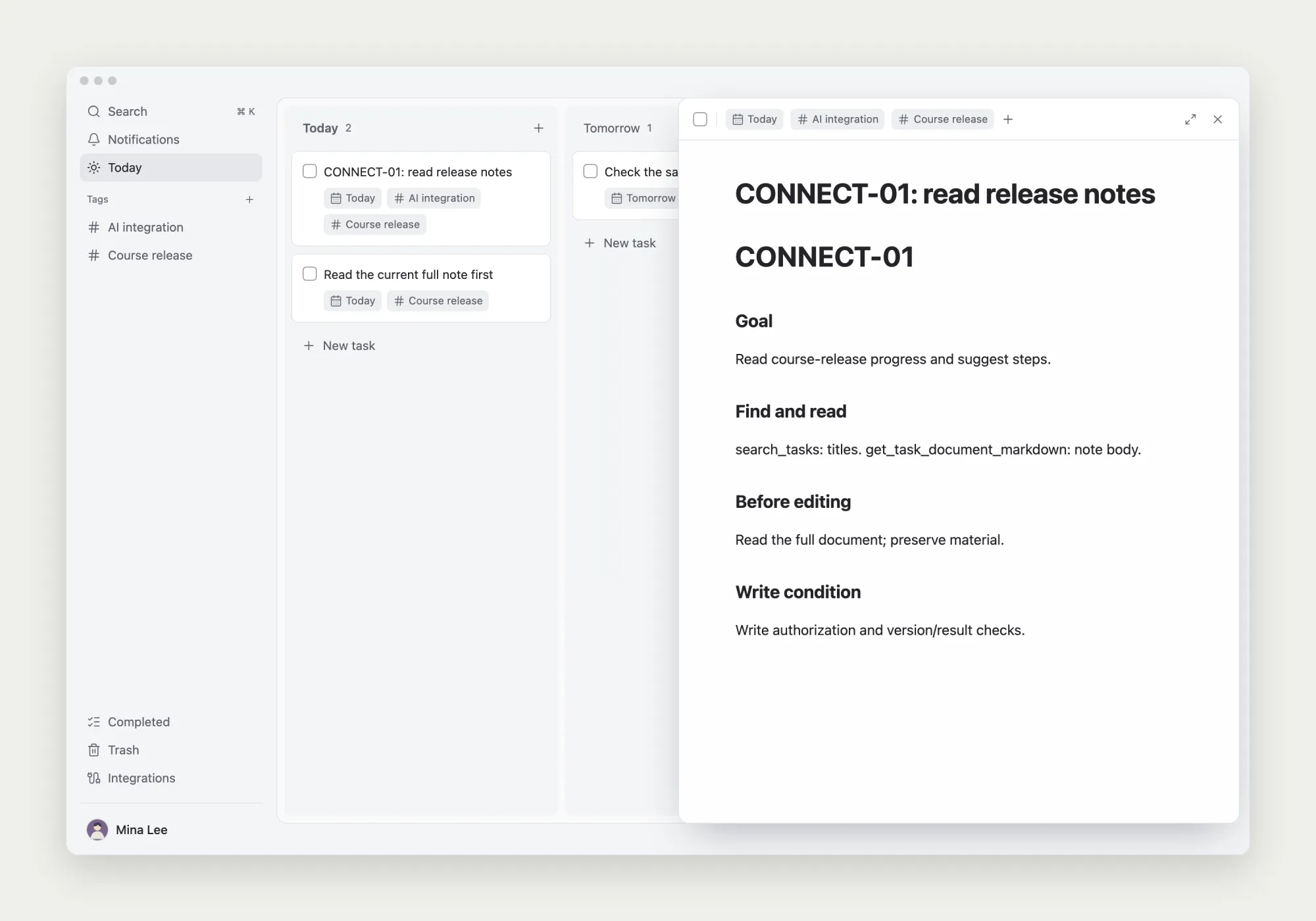
The AI can propose next steps after reading; that does not mean tasks have changed. Use read access for analysis. Creating tasks or saving records requires corresponding write access and the actual client's confirmation behavior.
Respect full-document replacement
TodoNote's set_task_document_markdown replaces the entire document. Read the current full version, preserve existing material and submit a complete revision. Use expectedUpdatedAt for a version check when writing; on conflict, read again and merge instead of overwriting a newer edit.
Start with a few records to verify correct retrieval, reading and suggestions. If writing is needed, check the saved result too. The TodoNote MCP guide covers connection steps; protocol possibilities should not be confused with a particular service's implemented tools.
Copyable template
Intended AI task:
Client connection support:
Service address and normal sign-in:
Data scope needed:
Available tools and purpose:
Fields searched:
How the note body is read:
Read or write authorization:
Proposed record changes:
Current full document:
Version-check method:
Conflict handling:
Saved-result verification:
Remaining human judgment:Background sources: Model Context Protocol
Related reading: MCP vs. Agent Skills: How They Work Together on a Real Task · Use MCP to let AI continue from your tasks and notes