GTD helps you process commitments and choose actions; PARA organizes information around projects, areas, resources, and archives. You can combine them by connecting each active project's next action with its supporting material.
The practical difficulty appears when a note is filed correctly but the work still has no next step. A tidy category cannot tell you whether you should call the venue or wait for a reply.
Give each method a distinct job
David Allen's GTD describes five stages: capture, clarify, organize, reflect, and engage. Tiago Forte's PARA groups digital information into four categories. One describes a workflow; the other provides an organizing structure. Neither requires a particular app.
| Question | GTD contribution | PARA contribution |
|---|---|---|
| What needs action? | Clarify the commitment | Find the relevant project material |
| What happens next? | Define an executable action | Keep supporting information accessible |
| What needs ongoing care? | Review commitments | Group material under an area |
| What is finished? | Review remaining actions | Archive inactive project material |
Do not turn every resource into a task. A microphone manual can remain reference material. “Test the microphone in the room” is an action with a condition for completion. They can be connected without becoming duplicate copies of the same record.
Follow one project through both systems
FLOW-01 prepares a workshop. The venue checklist supports the project, facilitation standards belong to an ongoing area, and an audio guide is a resource. The next action is to ask the venue which microphone connector is available.
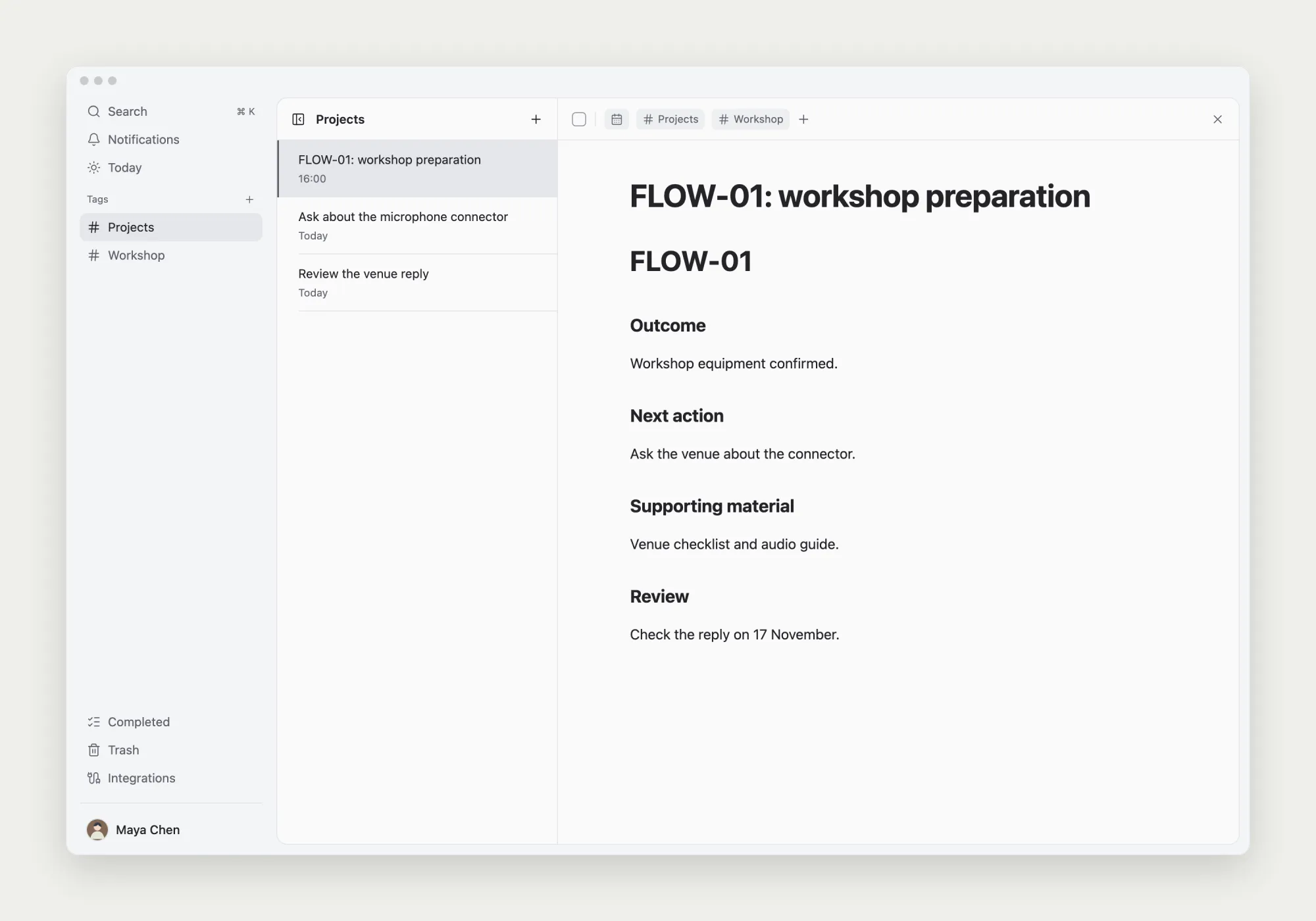
If you are waiting for that answer, keep the request and the date to check again. Do not schedule a fictional equipment test before the equipment can be confirmed. The project tag can gather the question, reference material, and later result without making them the same kind of commitment.
Close the project without losing the learning
When the workshop ends, review remaining actions before archiving its material. Cancel actions that no longer matter and keep useful results connected to the source project. A reusable facilitation checklist may also belong under a continuing topic.
In TodoNote, use a task note for the workshop context, subtasks for actions, and nested tags when they help retrieval. Write the waiting condition in the note; adding a tag does not itself define a next action or a review date.
A combined workflow record
Collected item:
Desired outcome:
Actionable or reference:
Next physical action:
Waiting condition:
Next review date:
Supporting note:
Project:
Ongoing area:
Reusable resource:
Archive condition:
Remaining actions at closure:Start with one unclear commitment
Pick something you have collected but not clarified. Define its outcome, identify the next physical action, and attach only the material needed to support it. Expand the structure when a real retrieval problem appears.
Read next: How to use PARA for notes: projects, areas, resources, and archives
Sources and background: Getting Things Done · Tiago Forte