Keep steps you’ll check in one sitting in Apple Notes. Copy a single item into Apple Reminders when you need a nudge. When a step has its own date, preparation and source materials, make it a task with a note you can reopen.
Emma keeps a launch checklist in Apple Notes. Checking the captions takes a minute. Asking a colleague for approval needs a reminder. Replacing images on three pages calls for a work session and access to the approved files.
Choose what each checklist item needs
An in-note checkbox works well for an immediate check. Tick it while you already have the note open. If you have to remember an action at a certain time, copy the wording to a new reminder and give it a date or time.
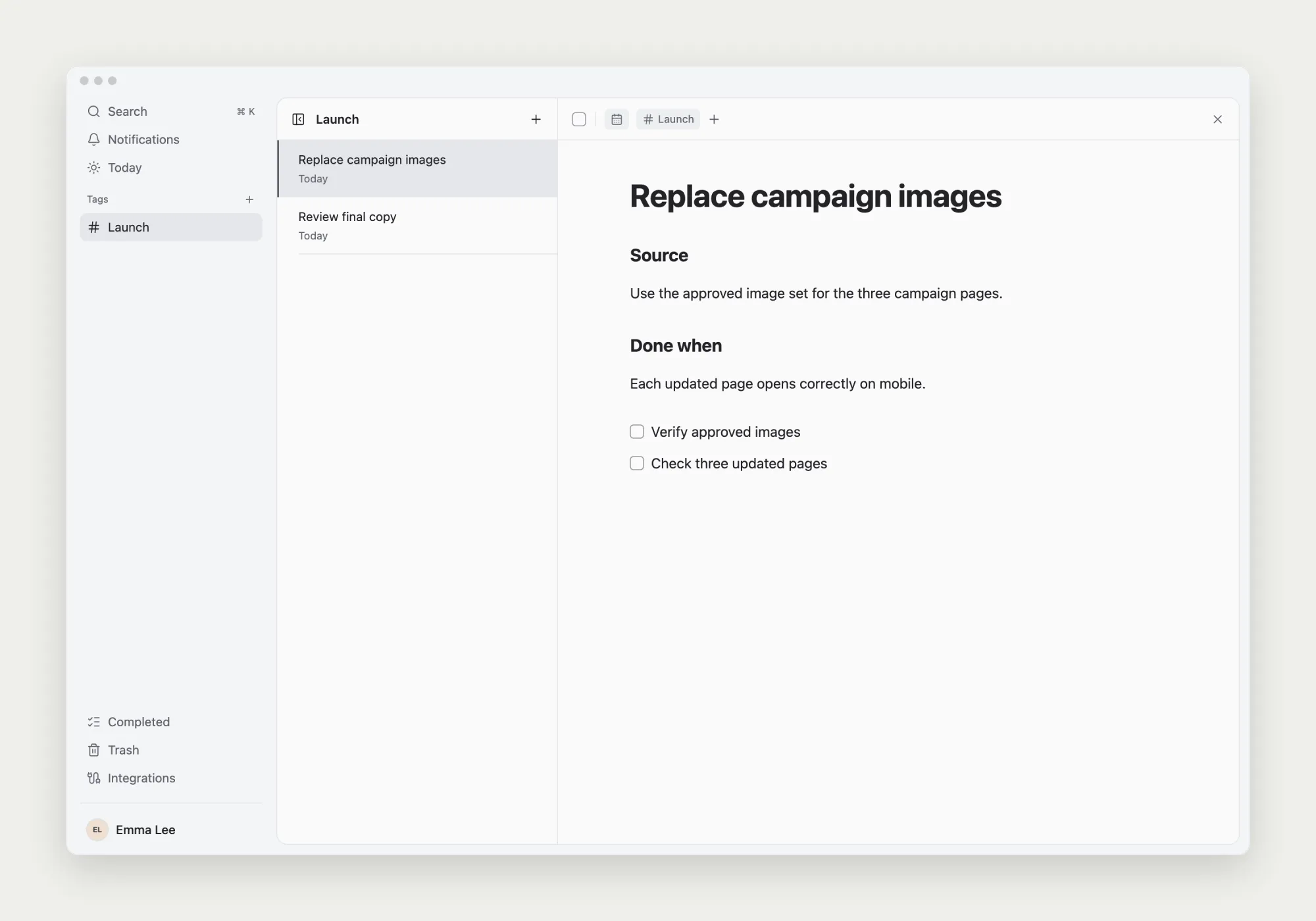
When an item takes an hour and has its own materials, write an outcome in the title. “Images” becomes “Replace campaign images on three pages.” Bring the resource link and the conditions for approval into the task’s note.
Try all three choices on a launch checklist
| Item | Where it goes | What to keep |
|---|---|---|
| Read the captions | Apple Notes checkbox | The caption text around it |
| Ask for approval at 14:00 | Apple Reminders | A short action and its reminder time |
| Replace images on three pages | Scheduled task in TodoNote | Source link, work date, and checks |
When copying a reminder, keep the words that tell you what to do when it fires. “Ask Jo to approve the captions” is easier to act on than “Launch list.”
Move one item from the checklist
Create the image-replacement task in TodoNote. Set a start date for the work, add the approved source link to its note and make separate subtasks only for the checks you want to track.
If the work has an agreed deadline, add a due date and choose a cutoff reminder in TodoNote. In the original checklist, leave a short note saying where the work is being tracked. Update the completion status in the task that owns the action.
Try it with an item you have carried over more than once. Put enough context in the new task to let you get started the next time you open it.
When a checklist checkbox needs to become a subtask
References · Apple Support · Checklists · Apple Support · Reminders · Set due reminders and receive notifications