Before asking AI for a weekly plan, provide unfinished tasks and their progress, fixed commitments, genuine deadlines, unanswered requests, and available working time. Ask it to identify conflicts and missing facts before proposing dates. Review the proposal before turning it into commitments.
Google's AI Mode search observations identify planning as a growing use case. For your own work, useful planning still depends on accurate inputs. An AI that does not know approval takes two days can easily treat “draft finished” as “ready to publish.”
Provide status before aspirations
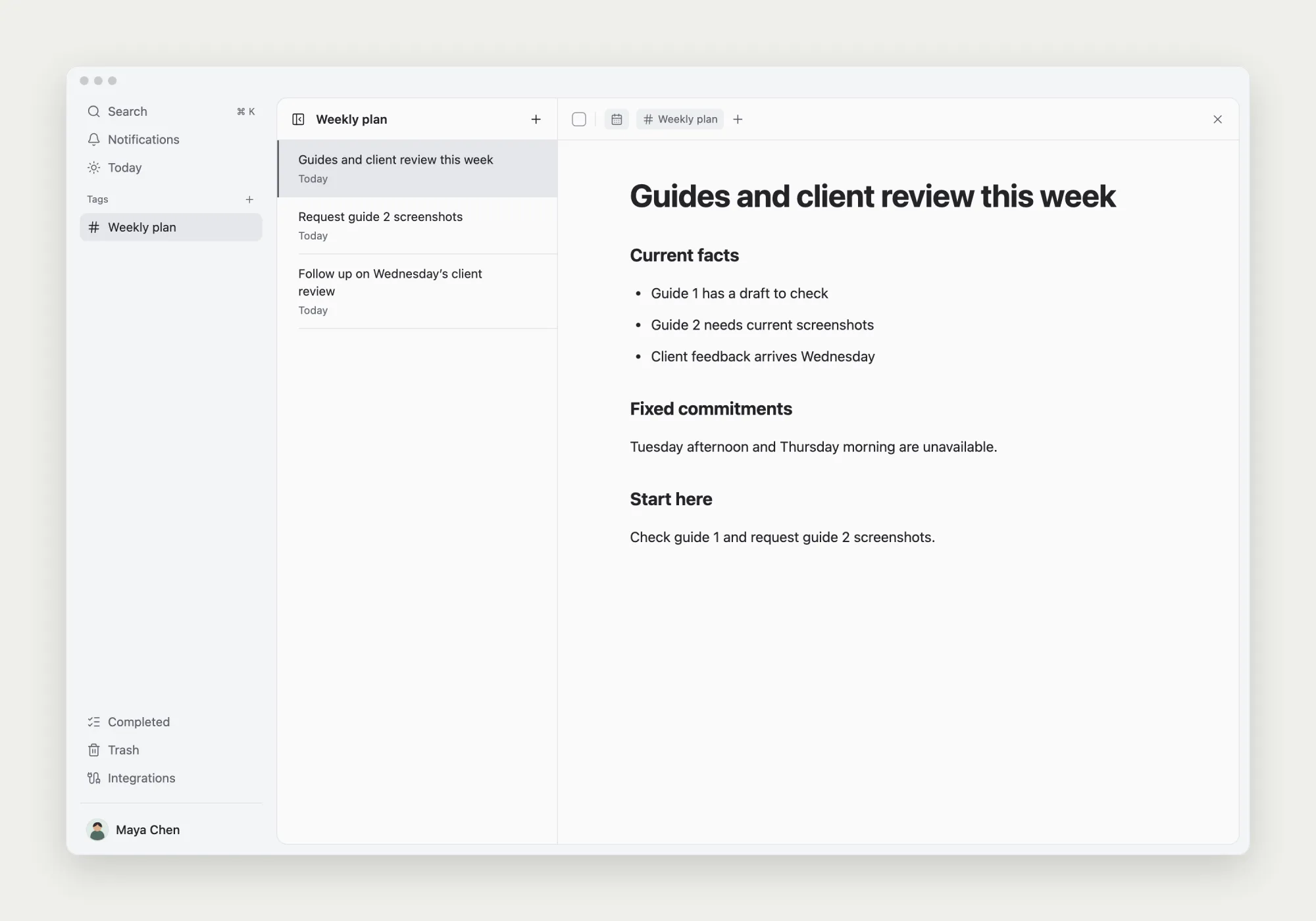
Maya needs to prepare two guides and handle a client review. Guide one has a draft; guide two needs current screenshots; the client will reply on Wednesday. Tuesday afternoon and Thursday morning are already occupied. Those facts reveal readiness and dependencies that three task names would hide.
State the conditions behind estimates. “One work session to check screenshots, once the current files arrive” is more useful than an unexplained hour count. When effort is unknown, schedule an investigation first. Separate when work can start from when the result must be delivered.
Ask for conflicts before a timetable
Have the AI identify blocked work, competing commitments, and deadlines without enough preparation time. Then decide what to reduce, defer, or renegotiate. If the work does not fit, filling lunch and evenings is not a capacity decision you should accept by default.
| Situation | Response | Record to keep |
|---|---|---|
| Material is missing | Schedule the request first | Dependency and expected reply |
| Deadlines compete | Reduce scope or negotiate | Confirmed delivery requirement |
| Work is ready | Choose a realistic start date | Result this step can deliver |
Schedule confirmed next actions
Maya schedules checking guide one and requesting screenshots for guide two. She leaves detailed client revisions until the feedback arrives. The note records why; subtasks name what can actually start. When the client replies, she updates only the affected commitments.
A template you can copy
Available working periods:
Fixed meetings and commitments:
Required outcomes and real deadlines:

Unfinished tasks and current progress:
Work ready to start:
Missing material or approvals:
Who to follow up with and when:
Estimates and their assumptions:

Conflicts the AI should identify first:
Work explicitly excluded this week:
Proposed next actions and start dates:
Commitments needing personal confirmation:
Midweek changes and reasons:Keep the reason when a date changes
TodoNote can arrange tasks by date and keep dependencies in their notes. A compatible client can read records through MCP and propose a plan. Creating or changing tasks requires the relevant write authorization. Read access is not automatic permission to reschedule work.
Midweek, review the changes: a dependency cleared, an estimate proved wrong, or a commitment needs a conversation. Record completed outcomes and explain why unfinished work moved. The plan should support these decisions, not become a new spreadsheet generated from scratch every Monday.
See the tasks and subtasks guide for the controls, and How to do a weekly work review: a template for next week’s plan for the next step.
Background reading: original source.